A rail in Minecraft is a flat texture on the ground. A ladder is a flat texture on a wall. Both are things you build a lot of, and both are the most obviously two-dimensional objects in a game made of cubes.
There is a whole category of resource pack that fixes this by replacing block models rather than textures, and it is the most underrated corner of the pack ecosystem.
What these packs actually do
A resource pack can override a block’s model, not just its texture. That means real geometry – a rail with rails that stand up off the sleepers, a ladder with rungs you could put a hand on, a lantern with a bail.
Nothing about the block changes. The hitbox, the behaviour, the recipe and the server’s view of it are identical. Only the model the client draws is different, which is why these are resource packs rather than mods and why they work on any server.
The cost is a small amount of extra geometry, which is negligible unless you have built something absurd – a thousand-block rail line has a measurable but tiny render cost.
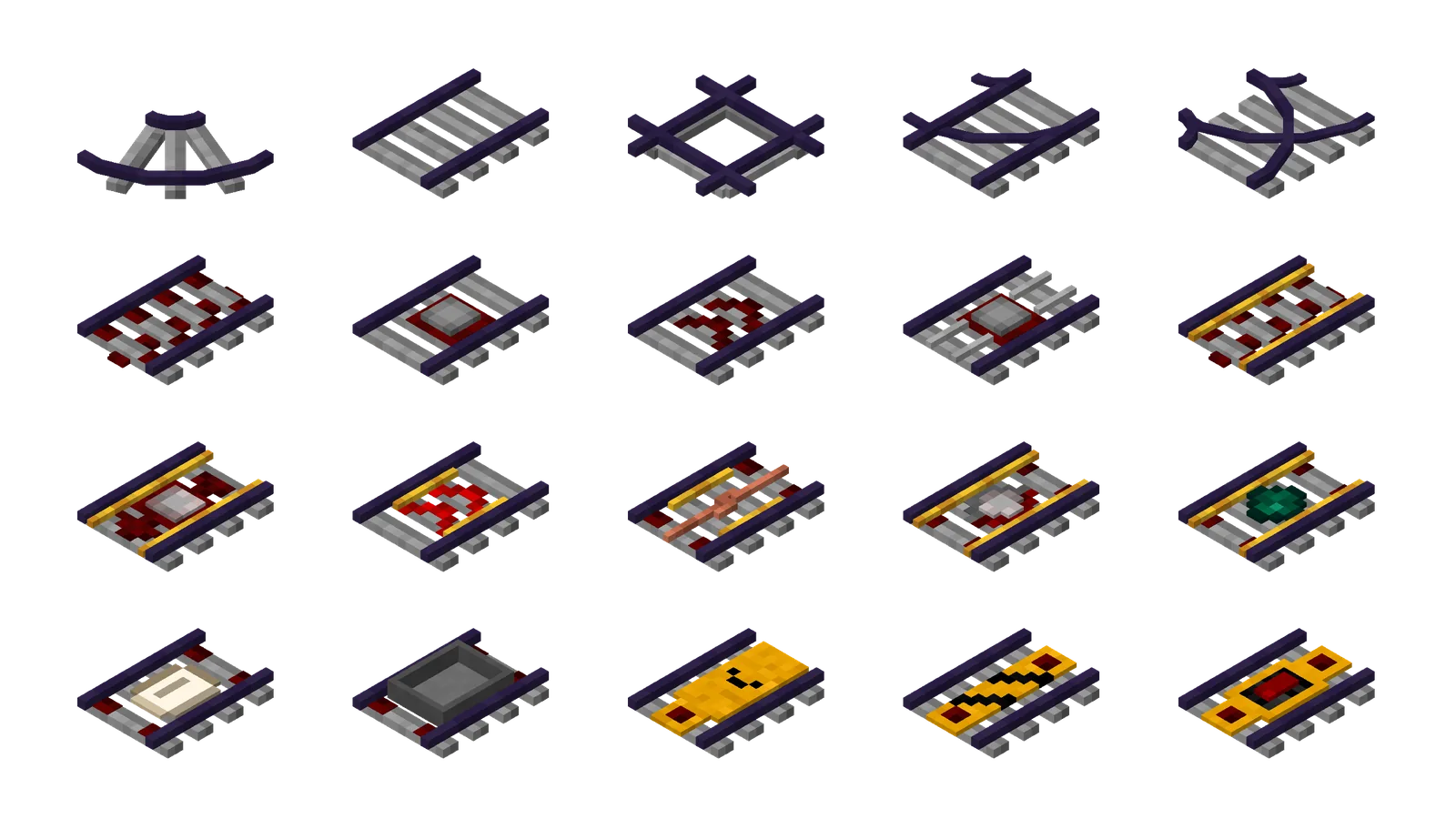
RAY’s 3D Rails
The largest of them. 3.2 million downloads, MIT licensed, updated on 20 September to version 3.5.
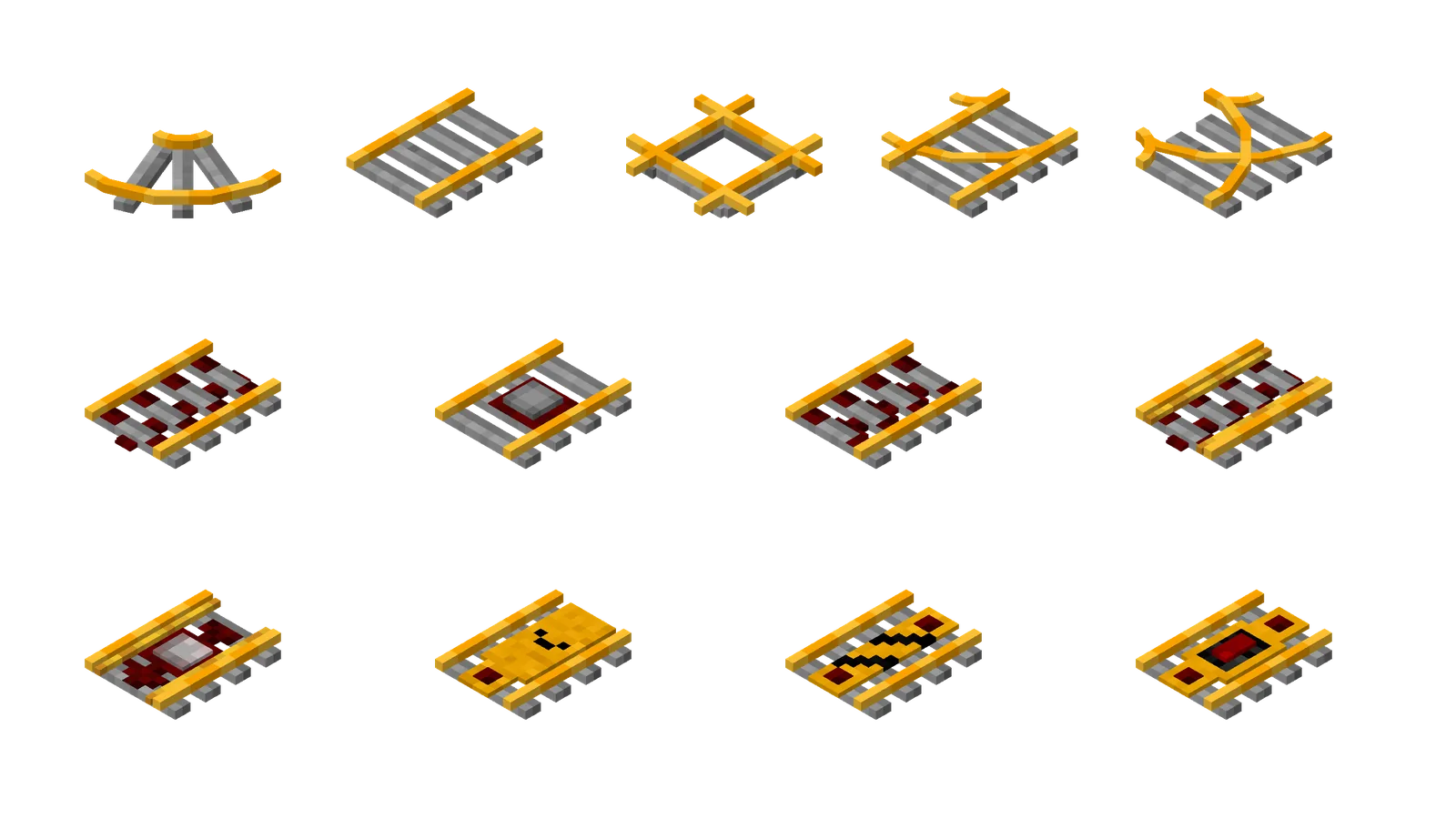
It replaces rail models and blockstates for vanilla rails and for rails from a long list of mods – Alex’s Caves, Better Rails, Botania, Caverns and Chasms and several copper rail mods among them. That mod coverage is unusual and it is what makes it viable in a modpack rather than only in vanilla.
LabPBR shader support has been in since version 3.0, and OptiFine emissive textures since 3.5. The 3.5 release also fixed emissive texture folder paths, which is the kind of detail that only surfaces when people are actually using the feature.
A rail line is the single most repeated element in most technical builds, and this is the highest-return pack of the three.
RAY’s 3D Ladders
Same author, same approach, 2.7 million downloads and also MIT. Ladders gain depth and rungs.
The improvement is most visible in interiors, where a ladder against a wall is something you look at from close range and where a flat texture reads worst. In a mineshaft you barely notice; in a house you do.
The two packs are separate downloads and stack without conflict, which is the right structure – installing rails without ladders is a legitimate choice.
3D Default
The broad option. 1.3 million downloads, GPL-3.0, and it applies the same treatment across a wide set of vanilla blocks rather than specialising.
Broader coverage means more of the world changes and more chance that one of the changes is not to your taste. The specialised packs are the safer install; this is the one to try if you decide you want the whole game treated this way.
Being GPL rather than all rights reserved also makes it the easiest of the three to include in a distributed pack.
Where 3D models go wrong
Two failure modes worth knowing before installing several.
Hitbox mismatch. The model changes and the collision box does not. A 3D rail that visually stands proud of the ground is still flat to walk on, and a 3D ladder with visible depth is still climbed as a flat plane. Most of the time this is unnoticeable; occasionally it looks wrong.
Visual noise at scale. Geometry that looks good on one block can be busy across a hundred. A long rail line with 3D models has considerably more visual detail than a flat one, which is an improvement up to a point and past it is clutter.
Neither is a reason to avoid them. Both are reasons to install one at a time and look.
Stacking and load order
All three are model overrides, so two packs touching the same block conflict and the higher one wins. In practice the specialised packs and 3D Default overlap on rails and ladders, so running 3D Default underneath the RAY packs gives you the specialised versions where they exist and the broad ones elsewhere.
That is the general load-order rule – specific above general – and it is the same one that governs everything in a pack stack.
They also sit happily under a full texture pack. A 16x pack changes textures; these change models, and the two compose rather than compete. Nautilus 3D is the option if you want the whole pack built this way rather than added on.
Where to start
RAY’s 3D Rails, if you have built any rail at all. It is the clearest single improvement in the category, it is MIT so there are no distribution questions, and it covers modded rails as well as vanilla.
Ladders second. 3D Default only if you decide you want the look everywhere. And as with the rest of the small-change pack category, the reason to try them is that each one costs nothing and is reversible in one click.
Images: RAY’s 3D Rails project gallery.