Minecraft’s default camera is first-person, and for most of the game that is correct. It is also the reason a lot of players never see their own armour, never notice their cape, and fight every mob from a viewpoint that hides everything below their chin. Shoulder Surfing Reloaded moves the camera over your shoulder and, more importantly, makes that view actually work.
What separates it from pressing F5
Vanilla third person is a debug view. The camera sits directly behind the player at a fixed distance, the player model occupies the centre of the screen, and there is no aiming logic – your crosshair points where the camera points, not where the character is looking.
Shoulder Surfing offsets the camera to one side and adds a corrected crosshair that traces from the player, not the camera. That one change is the difference between a novelty view and a playable one, because it means ranged attacks land where the reticle is.
Everything else is configuration around that: offset distance, height, side, per-context behaviour, and a dynamic mode that pulls the camera in when you approach a wall so you do not end up looking at the inside of a block.
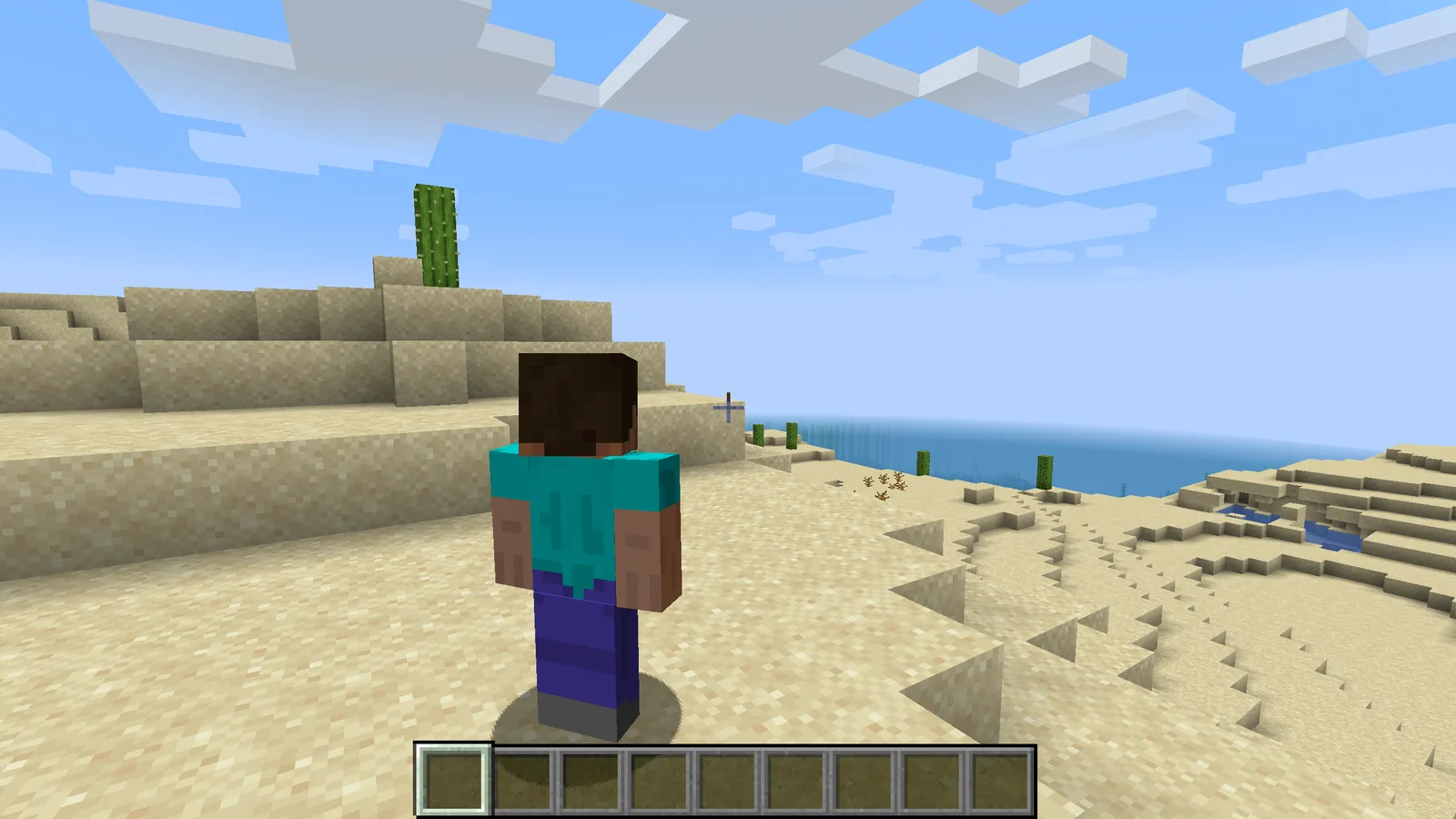
Aiming, and why it matters
The mod handles bows, crossbows and tridents with a separate aiming state. When you draw, the camera shifts and the crosshair switches to a projected trajectory point rather than a screen-centre dot. Without this, ranged combat in third person is guesswork at anything beyond ten blocks.
Melee is less affected but still improves, mostly because you can see mobs approaching from the side. Anyone who has been killed by something they never saw because it was below the first-person view cone will recognise the value. It does not change any of the underlying reach and cooldown mechanics – it just lets you see them happening.
Where it genuinely helps
- Building. Placing blocks while seeing your own position is significantly easier on scaffolding and at height.
- Parkour and traversal. Knowing where your feet are is the entire problem, and first person hides it.
- Screenshots. Obvious, but worth stating – it is the cheapest way to get your own character into a shot.
- Accessibility. Some players get motion sick in first person. A third-person option is not a preference for them.
The building case is the strongest. Working on a tall vertical build in first person means constantly looking down to check your footing; with the camera pulled back you can see the whole scaffold and your position on it at once.
Where it gets in the way
Tight spaces. Mining a two-block corridor with a third-person camera is worse than first person no matter how good the wall-collision handling is, because the camera has nowhere to go. The mod’s dynamic distance helps but cannot solve it.
Precision block placement in a one-block gap is also harder, for the same reason: the offset that helps you see your surroundings hurts you when the thing you care about is directly in front of your face.
The practical answer is a toggle keybind rather than a permanent switch. Most people who use this mod seriously run third person for traversal and building and flip back to first person for mining and fiddly placement.
Configuration worth setting
The defaults are reasonable but three settings are worth adjusting immediately. The shoulder side, because whichever one the default picked is probably wrong for you. The offset distance, which should be shorter than you think – a camera too far back makes melee feel disconnected. And the per-perspective crosshair options, so the aiming reticle appears in third person and not in first.
There is also a setting for whether the camera decouples from the player’s facing while free-looking, which is the single biggest taste divide among users. Try both; one of them will feel obviously correct and it is not the same one for everyone.
Compatibility
It plays fine with shaders, with performance mods, and with most animation mods. The combination to check is anything else that touches the camera – cinematic mods, replay tools, and some vehicle mods will fight it for control.
It also pairs unusually well with animation mods, because third person is the only view where anyone ever sees the animations. Running it alongside fuller player animations is the standard combination for anyone who has decided they want to actually watch their character play the game.
Verdict
Shoulder Surfing Reloaded is one of those mods that sounds cosmetic and turns out to be mechanical. The corrected crosshair is the whole thing: without it third person is unusable for anything but sightseeing, and with it the view becomes a real option rather than a novelty.
Install it, bind a toggle, and use it for building and travel. If you find yourself leaving it on in caves too, that is the mod working.
Images: Shoulder Surfing Reloaded and Better Clouds project galleries.