Litematica, the schematic mod that most large Minecraft builds are actually assembled with, has landed on 26.3. Version 0.29.0 arrived on 22 September with a short changelog and one line that matters more than its length suggests: a fix for Sodium compatibility.
What changed in 0.29.0
The release notes are two bullets long. The first is the Sodium compatibility fix. The second is an author’s note that 26.3 now “works” with shaders more or less, minus a texture problem. That is an unusually honest way to ship a build, and it is worth reading literally rather than optimistically.
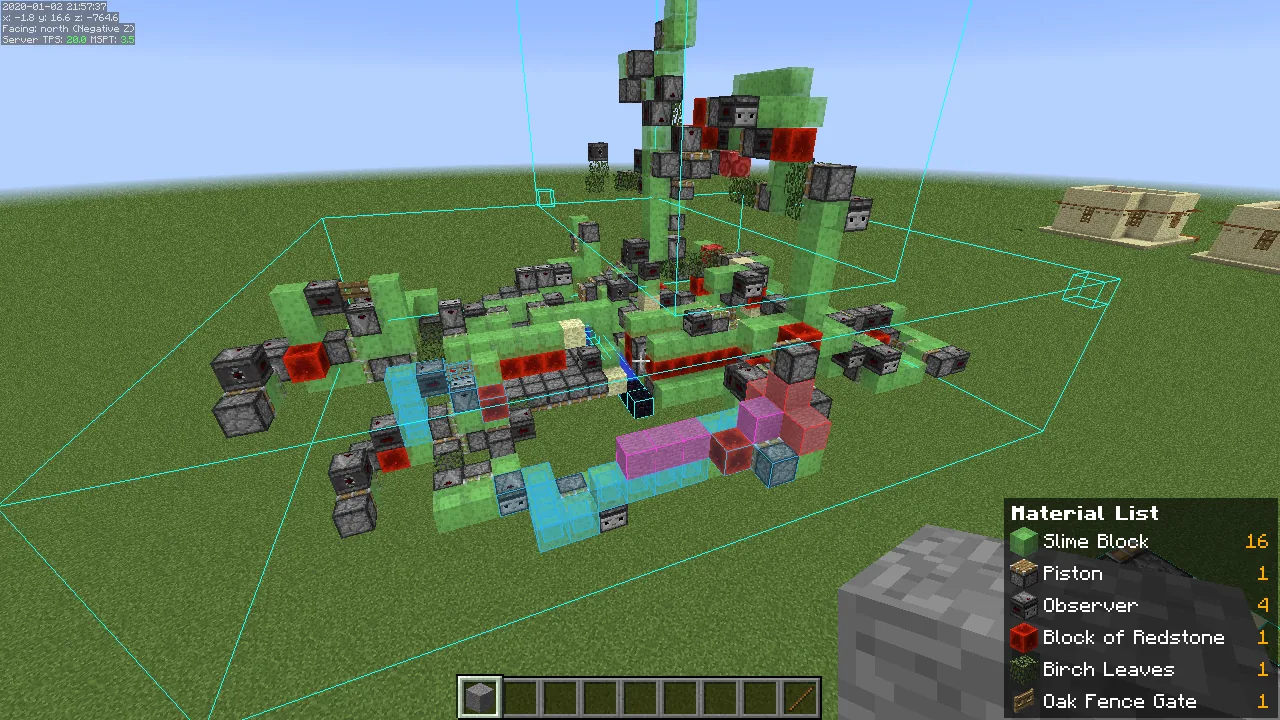
Litematica draws a ghost overlay of a schematic into the world, which means it has to hook into chunk rendering at a level most mods never touch. Any renderer change in Sodium tends to break that overlay first, and the 26.3 cycle changed a lot of rendering.
Why the Sodium fix is the headline
Almost nobody runs Litematica alone. The typical build client is Litematica plus a performance stack plus a minimap plus a HUD mod, because large projects are slow to render and slower to navigate. If the overlay and the renderer disagree, the ghost blocks either vanish, flicker, or draw behind solid terrain, and the mod becomes unusable for exactly the builds it exists to serve.
That is why a one-line compatibility fix is a bigger deal than a feature. The mod’s value is entirely in the overlay being trustworthy at a glance.
The shader caveat, read carefully
“Works more or less, minus the texture problem” is not the same as “supported”. If you run Iris with a heavy shader pack, expect the schematic overlay to look wrong in places even when it is functionally correct. For a placement pass that is survivable. For a colour-matching pass it is not, and you should toggle shaders off while you check the palette.
This matches what the wider 26.3 ecosystem has been reporting. Rendering-adjacent mods have all needed a second or third patch after the version bump, and shader interaction is usually the last thing to settle.
Version numbers to keep straight
- 0.29.0 – Minecraft 26.3, Fabric.
- 0.28.8 – Minecraft 26.2, still maintained, last touched on 5 September with a leash-entity save fix.
- 0.27.14 – the 26.1 line, same fix, same date.
Litematica has always shipped parallel branches per game version rather than a single jar with a wide compatibility range, so grabbing “the latest” from a search page is a reliable way to install the wrong one. Check the game version tag on the file, not the version number on the project page.
What this unblocks
Schematic workflows are how anything above a certain size actually gets built. Server build teams, map makers and anyone reproducing a design from a render are all waiting on the same mod, and a 26.3 Litematica means those projects can move to the current version instead of sitting on 26.2 indefinitely.
It also matters for the people copying reference designs rather than inventing them. A schematic overlay turns a screenshot into a buildable plan, which is roughly the same job that studying generated structures does by eye, only faster and with fewer counting mistakes.
If you are updating
Back up the schematics folder before you move versions. Litematica’s own format has been stable for a long time, but the surrounding mods are the risk: a build client is usually six or seven mods deep and only one of them needs to be behind for the whole profile to fail to launch.
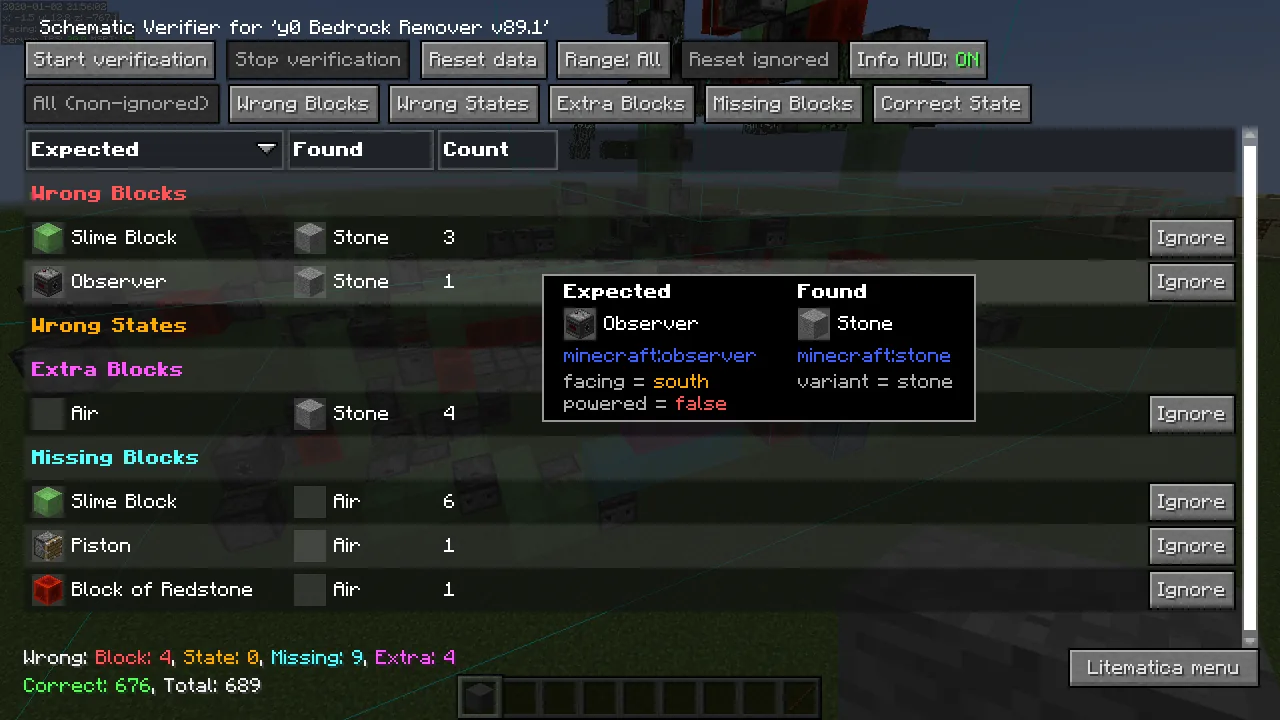
Test the overlay on a small schematic in a throwaway world before you open a real project. Place it, walk through it, and check that the ghost blocks render both in front of and behind terrain correctly. If they do not, the culprit is nearly always a renderer mod rather than Litematica itself.
Anyone running a shared build server should also confirm the server has actually migrated before the build team updates their clients, because a schematic overlay on a client that cannot connect is not much use.
The wider picture
26.3 has been a heavier port than the version number implies. The graphics backend work that started earlier in the year has pushed rendering-adjacent mods into repeated patch cycles, and the mods that survived it best are the ones with a narrow surface area. Litematica does not have a narrow surface area, so a release this clean, this early, is a good sign for the rest of the build-tool ecosystem.
Worth watching next: whether the texture problem in the shader path gets fixed on Litematica’s side or Iris’s. Historically that kind of bug resolves upstream, which would mean the next shader loader release quietly closes it without Litematica changing at all.
A note on schematic hygiene
One habit worth adopting while you are updating: prune the schematics folder. Litematica saves fast and deletes never, and a folder with two hundred files in it named after the date you saved them is the reason people lose track of which version of a build is current. Name files after what they are, keep one canonical file per project, and move experiments into a subfolder.
The other habit is saving the material list alongside the schematic. Litematica generates one on demand, but exporting it once and keeping it with the file means you can plan a gathering trip without loading the schematic at all, which matters when the build is a thousand blocks from where you are standing.
Images: Litematica project gallery.