Fresh Animations is the most downloaded resource pack on Modrinth with nearly 47 million downloads, and it does something no texture pack normally does: it changes how mobs move.
What it actually is
An entity animation pack. Every vanilla mob gets redone movement – heads that track what they are looking at, legs that walk rather than swing, idle animations, reactions.
The textures are essentially vanilla. What changes is motion, which is why the pack works alongside almost any other resource pack.
What you need to run it
Custom entity model support, which vanilla Minecraft does not have. In practice that means OptiFine, or the Entity Model Features and Entity Texture Features mods on a Sodium-based setup.
That dependency is the single biggest barrier to using it, and the reason a lot of players download it and find it does nothing.
What changes most noticeably
- Creepers – they crawl and react, which makes them read as animals rather than as objects.
- Zombies and skeletons – varied walks, head tracking, idle movement.
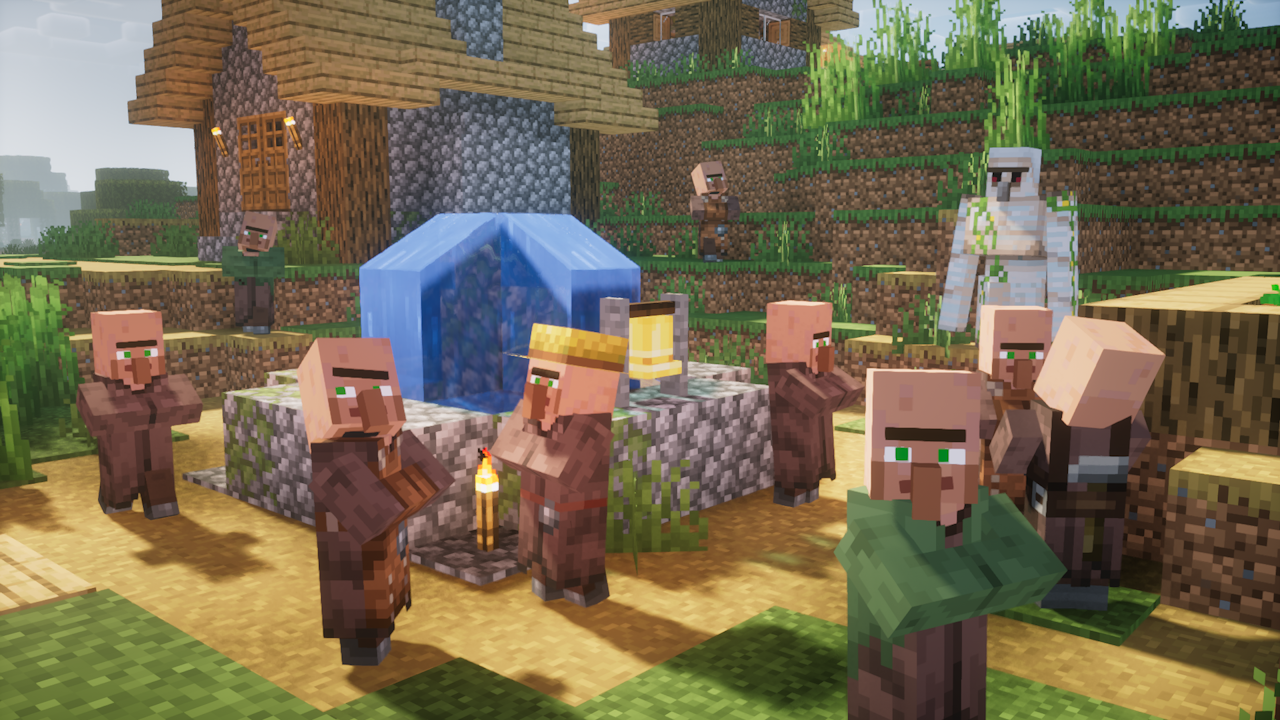
- Villagers – expressions and gestures that convey state.
- Endermen – the largest single improvement in the pack.
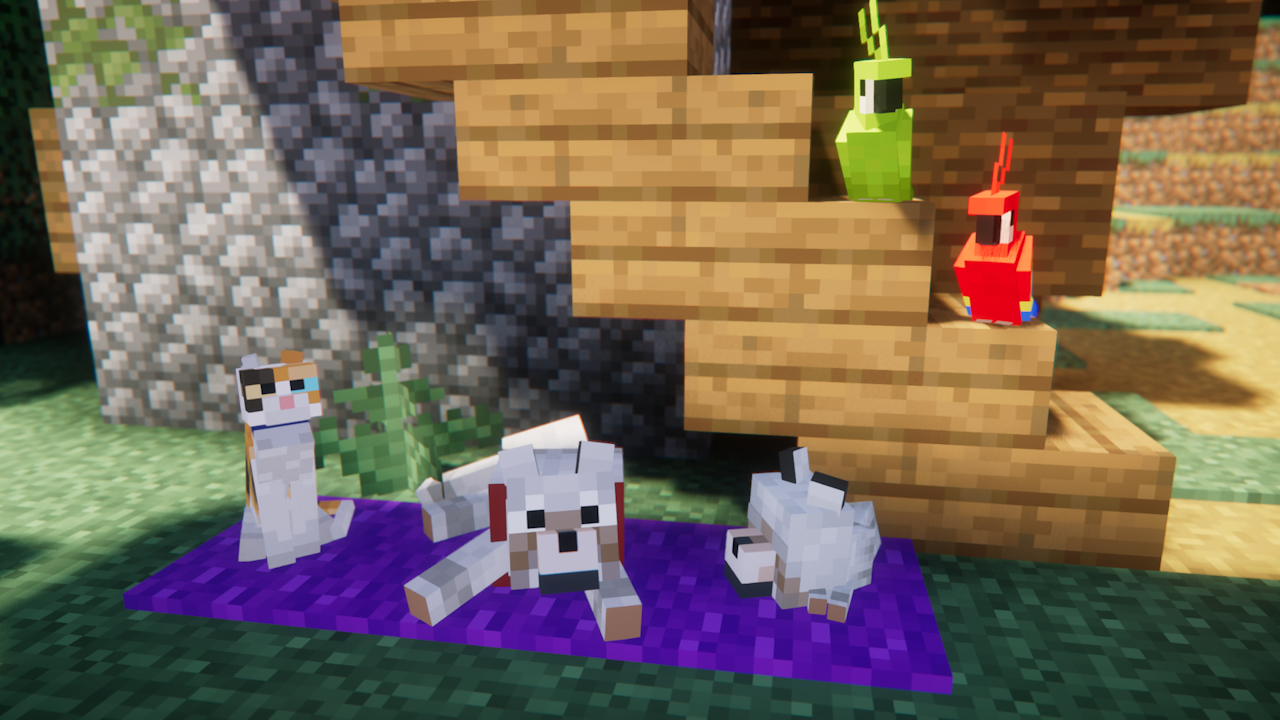
- Passive animals – grazing, looking around, reacting to you.
The head tracking is the detail that does most of the work. A mob that looks at you is a mob that appears to be aware, and vanilla mobs mostly are not.
Performance
Custom entity models cost more than vanilla ones, and a scene with many mobs shows it. On a low-end machine this is one of the more expensive visual additions available.
It stacks badly with high entity counts for the same reason, which means mob farms are where you will feel it. A culling mod helps considerably, since animations only cost for entities actually rendered – the mechanism is covered in why Minecraft renders what you cannot see.
The extensions
A separate official extensions pack adds support for more entities and for several popular mods. Running both is normal and is what most setups do.
Modded mobs without support use their default animations, which produces an inconsistency that is more noticeable than it sounds – a world where vanilla mobs move well and modded ones do not.
Where it changes the game
Atmosphere, entirely. Nothing about difficulty, loot or progression changes. What changes is that the world’s inhabitants appear to be alive, which for a lot of players is the thing they wanted from a texture pack and could not name.
Compatibility with other packs
Excellent, because it changes models and animations rather than textures. Running it above a full texture pack in the load order gives you that pack’s look with these animations.
The exception is packs that also change entity models, which conflict directly.
How far a pack can go
This one sits at an interesting point – it changes how the game feels substantially while changing almost no textures, which raises the question of what a resource pack is for at all.
That boundary is worth thinking about, and how far a texture pack can go before it stops being Minecraft takes the question seriously.
Installing it
- Install Entity Model Features and Entity Texture Features, or OptiFine.
- Add Fresh Animations to your resource pack folder.
- Add the extensions pack above it.
- Place any full texture pack below both.
Load order matters and is the second most common reason it appears not to work.
Verdict
The most-installed resource pack in Minecraft for a reason. It needs a dependency most packs do not, and once running it is the single largest change to atmosphere available without touching a single block texture.
The dependency, explained
Vanilla Minecraft hard-codes entity models. Changing them requires a mod that adds custom entity model support, and there are two routes: OptiFine, which is the historical answer and conflicts with Sodium, or Entity Model Features plus Entity Texture Features, which is the modern one and does not.
For anyone on a Sodium-based performance setup, the second route is the only one. Installing the pack without either produces no visible change at all, which is the single most common support question about it.
What it does not change
- Block textures – entirely untouched.
- The GUI.
- Item models.
- Mob behaviour, which is a mod’s job, not a pack’s.
That last point is worth stating clearly. The animations make mobs look aware; they do not make them act differently.
Version sensitivity
Entity models change between Minecraft versions more than block textures do, which makes this pack more version-sensitive than most. Running a version behind usually produces some entities animated and others not.
Forty-seven million downloads for a pack that changes no block textures says something about what players actually want from Minecraft’s presentation. The world looks fine; the things living in it move like objects. Fixing that turns out to matter more than any amount of texture resolution, which is a result worth remembering the next time a pack promises photorealism.
Images: Fresh Animations project gallery on Modrinth.