Most dark-mode resource packs darken the GUI and stop. Unique Dark darkens the GUI and then gives every functional block in the game its own texture, which is a different project and a more useful one.
Version 2.9.1 fixed pack loading on 26.3 on 16 September.
Two things at once
The first is the obvious one: a dark interface. Inventory, menus, containers, tooltips, all in a low-brightness palette rather than the default light grey.
The second is the part that justifies the download count. Every functional block – anything you interact with rather than build from – has a distinct texture. A blast furnace does not look like a furnace with a different front. A smoker, a barrel, a composter, a lectern and a cartography table are all visually separate at a glance.
That is a readability improvement rather than an aesthetic one. In a workshop with a dozen station blocks, telling them apart in vanilla requires looking; here it does not.
Who this is for
Three groups, and the middle one is the largest.
People who find the default GUI too bright. Playing at night with a white inventory screen is genuinely unpleasant, and this is the fix.
People with a lot of blocks. The functional-block textures scale in value with how much machinery you have. A starter base gains little; a fully built workshop gains a lot.
People running dark-themed builds. The pack’s palette suits deepslate and blackstone construction in a way the default textures do not.
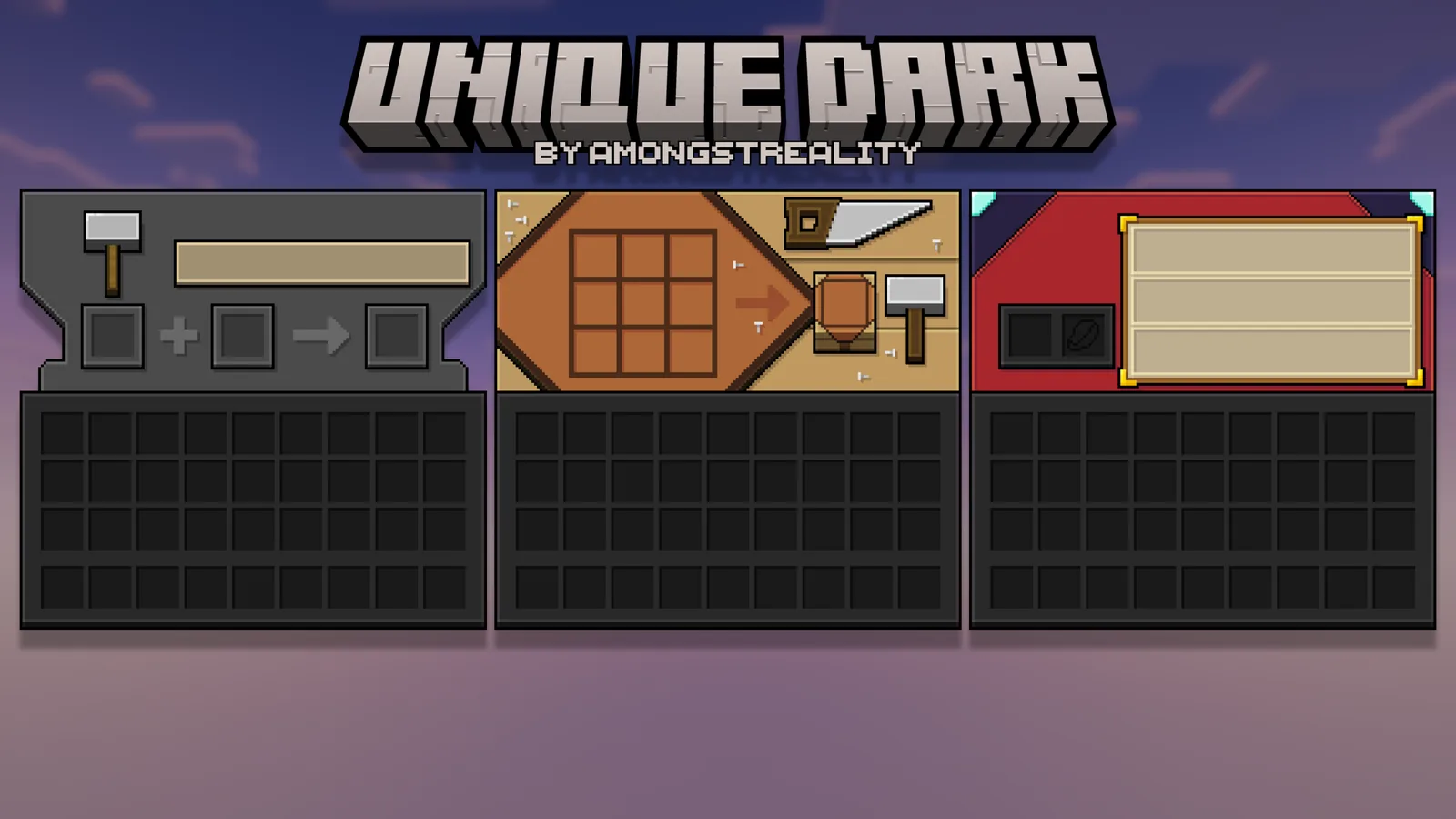
The OptiGUI dependency
Some textures require OptiGUI, a separate mod that lets resource packs vary container GUIs based on context. Without it, those specific textures fall back and everything else works.
This is worth knowing before concluding the pack is broken. The core of Unique Dark is a plain resource pack and needs nothing; a subset of its features needs a mod, and the project says so.
There is also a light-mode counterpart, Unique Bright, for anyone who wants the functional-block work without the dark palette. Same project family, opposite brightness.
26.3 compatibility
Version 2.9.1’s changelog is one line: fixed resource pack failing to load on 26.3. That is the pack format bump from Wilderness Bound, and it is the reason a pack that worked in August stopped loading in September.
Worth noting because 26.4 bumps the resource pack version again to 98.0, so this will need another update when that releases. That is normal and it is the maintenance cost of any pack.
Around 3.63 million downloads and 2,335 followers, which is a high follower-to-download ratio and usually indicates people who update rather than install once.
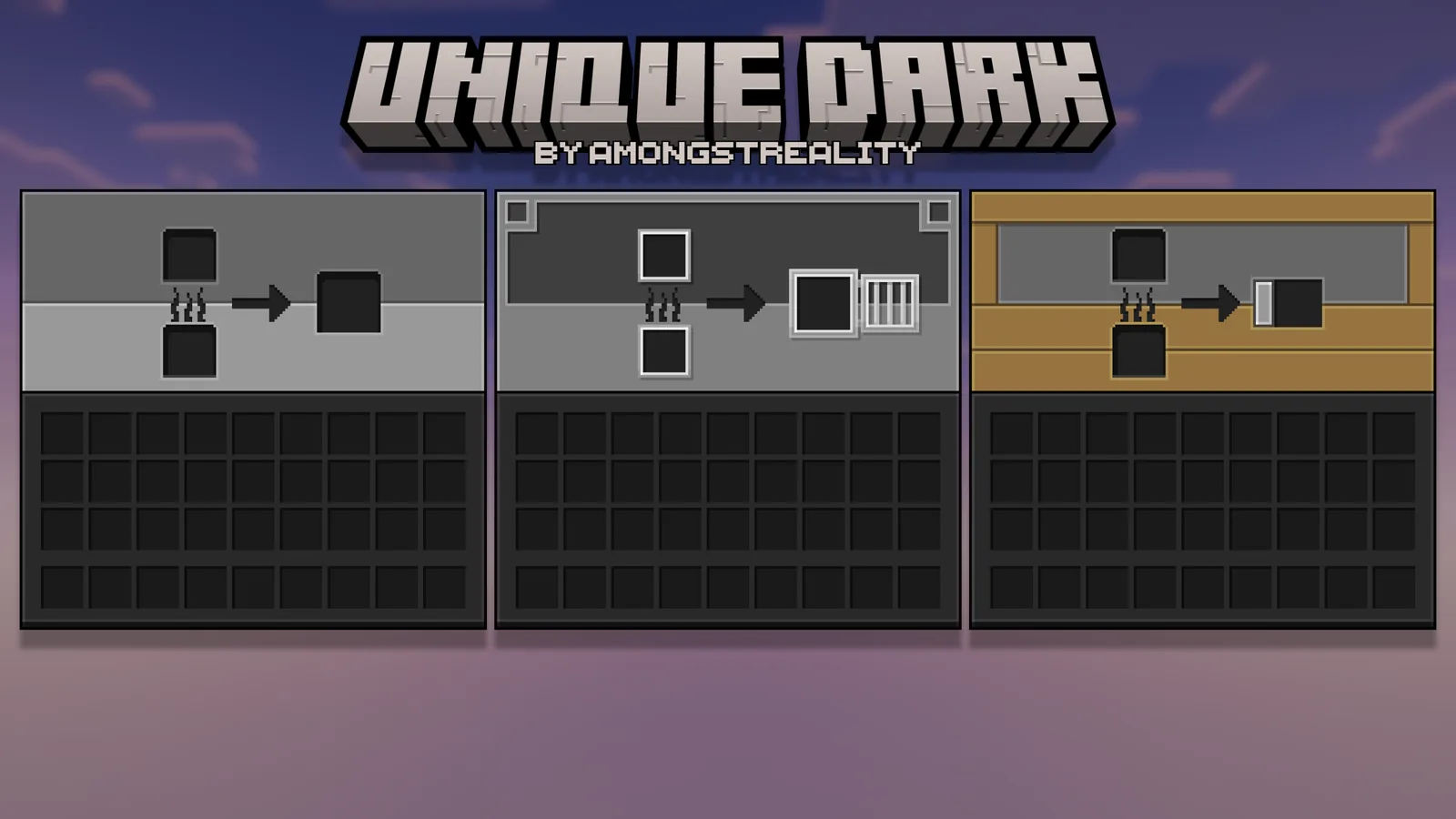
Where it works less well
A dark GUI reduces contrast against dark item textures. Coal, obsidian and netherite items are harder to pick out in a dark inventory than in a light one, and that is an inherent cost rather than a flaw in this pack specifically.
The functional-block textures also depart from vanilla’s look more than the GUI does. If your reason for wanting a dark pack is that you like vanilla and want it dimmer, you are getting more change than you asked for.
Licence is all rights reserved, so modpack inclusion needs permission.
Stacking it
It sits at the bottom of a pack stack, since it touches a very wide set of textures. Anything more specific goes above it.
The natural companions are the readability packs, which fix individual irritations and overlap with Unique Dark barely at all.
Connected textures via Continuity or Fusion if your builds have large flat surfaces.
Verdict
Install it if you play at night, or if you have enough functional blocks that telling them apart is a real task. It does two useful things and the second is better than the first.
Skip it if you want vanilla’s look preserved, or if your inventory is mostly dark items. Unique Bright is the answer to the first of those, and the 16x roundup covers what else is in the field.
OptiGUI, briefly
Worth understanding what the dependency actually does, because it explains which textures need it.
Vanilla renders the same container GUI for every chest, every barrel, every shulker box. OptiGUI lets a resource pack vary that GUI based on context – the block type, the container name, the dimension.
So the textures that need it are the ones that distinguish between things vanilla treats identically. A uniquely textured barrel interface needs it; a uniquely textured barrel block does not.
It is a small Fabric mod, client-side, and installing it unlocks the subset without changing anything else.
Dark GUI as an accessibility thing
The framing usually applied to dark mode is preference, and for some players it is not.
A full-screen light interface in a dark room is a genuine discomfort, and Minecraft’s inventory covers most of the screen. For anyone sensitive to that, a dark pack is the difference between playing in the evening comfortably and not.
That is worth separating from the aesthetic argument, because the two get conflated and the second one is a matter of taste while the first is not.
Images: Unique Dark project gallery.