Vibrant Visuals is the biggest change to how Minecraft looks since the game shipped, and it arrived on Bedrock alongside the Chase the Skies drop. It is not a resource pack and it is not a shader mod. It is a rendering mode built into the game, which is the part that makes it interesting: for the first time, the pretty version of Minecraft is the official one.
This is what it changes, how to enable it, what it costs in performance, and how it stacks up against the Java shader ecosystem that has been doing this unofficially for a decade.
What Vibrant Visuals actually does
The short version is directional lighting with proper shadows, plus a much more physically sensible treatment of water, fog and sky. The long version is worth breaking down, because each piece changes a different thing about how you read a scene.
Shadows and directional light
Classic Minecraft lighting is essentially per-block brightness: a block is lit or it is not, and the sun’s position affects the sky colour rather than where shadows fall. Vibrant Visuals gives the sun a direction, so buildings cast shadows that move through the day and overhangs actually darken the ground beneath them. Terrain suddenly has volume, and a build’s silhouette starts to matter.
Water, reflections and fog
Water reflects the sky and nearby geometry instead of being a flat blue plane, and light entering water bends and scatters rather than stopping at the surface. Fog is depth-aware, so distance reads as distance. Combined, these are the changes that make screenshots look different at a glance.
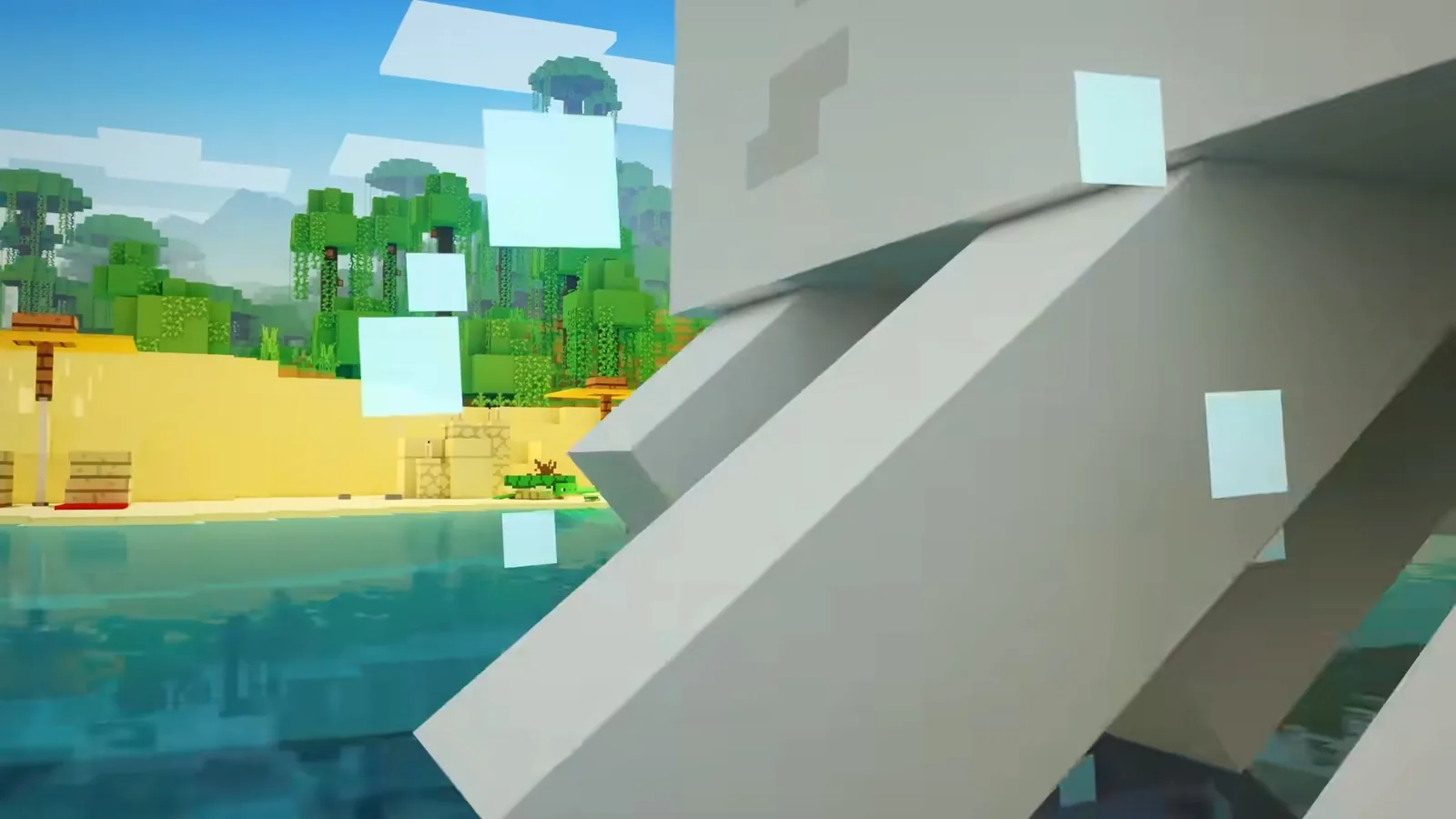
Colour and tone
The overall grade is warmer and higher contrast. Biomes that used to sit in a narrow band of green now separate clearly, and sunrise and sunset run through a much wider range than before. If you have spent years reading Minecraft’s palette as flat, the first in-game morning after switching it on is genuinely disorienting.
How to turn it on
- Open Settings, then Video
- Find the Graphics or Graphics Mode section
- Switch the mode to Vibrant Visuals
- Accept the prompt about performance if one appears, then let the game rebuild its render pipeline
- Return to the world; the change applies immediately with no world conversion
It is a per-device rendering setting, not a per-world one, so it does not touch your save and you can turn it off again at any point with no consequences. If the option is missing entirely, your device is below the hardware bar — see the section below.
What it costs
A lot, relative to classic rendering. Real shadows and reflective water are expensive, and on modest hardware the honest answer is that you will trade frame rate or render distance for it. The usual tuning order applies: drop render distance first, because it is the single biggest lever, then turn off anything optional before you give up on Vibrant Visuals itself.
- Newer consoles and mid-range or better PCs: comfortable, with a render distance trim
- Older consoles and mid-range mobile: playable at reduced distance, not at high settings
- Low-end mobile and older tablets: the option may not appear at all
One practical note for builders: judge a build under Vibrant Visuals before you commit to it. Block palettes that looked balanced under flat lighting can turn muddy once shadows arrive, and materials with strong texture — deepslate, copper, stripped logs — gain a lot more definition than smooth blocks do.

Vibrant Visuals versus Java shaders
Java players have had this for years through Iris and OptiFine, and in raw capability the best shader packs still go further: volumetric light shafts, screen-space global illumination, custom sky and cloud models, and per-pack artistic grading that Vibrant Visuals does not attempt.
What Vibrant Visuals wins on is everything around the feature. There is no mod loader, no pack to download, no version mismatch when the game updates, no compatibility break every drop. It is a toggle, it works on console, and it ships with the game. For most players that trade is obviously worth it.
If you are on Java and want the ceiling instead of the floor, our roundup of the best shader packs for Iris covers what each pack is actually good at, and the Iris installation walkthrough gets you from a clean install to a running pack in about ten minutes.
Java support
Mojang has confirmed Vibrant Visuals is in development for Java, without a date attached. The sensible expectation is that it lands as a graphics mode there too rather than replacing the shader ecosystem, since Iris packs will keep doing things a built-in renderer will not.

Is it worth switching on?
If your device can hold a playable frame rate, yes, without much hesitation. The change is not subtle and it does not wear off after a week. Exploration in particular benefits — terrain height reads properly for the first time, and caves stop being uniformly dim.
The one group that should think twice is anyone doing precision redstone or large farm work, where frame rate and a long render distance matter more than shadows. Even then, it is a toggle. Build in classic, screenshot in Vibrant.