Key takeaways
- Replaces the vanilla enchantment glint with a coloured outline around the item
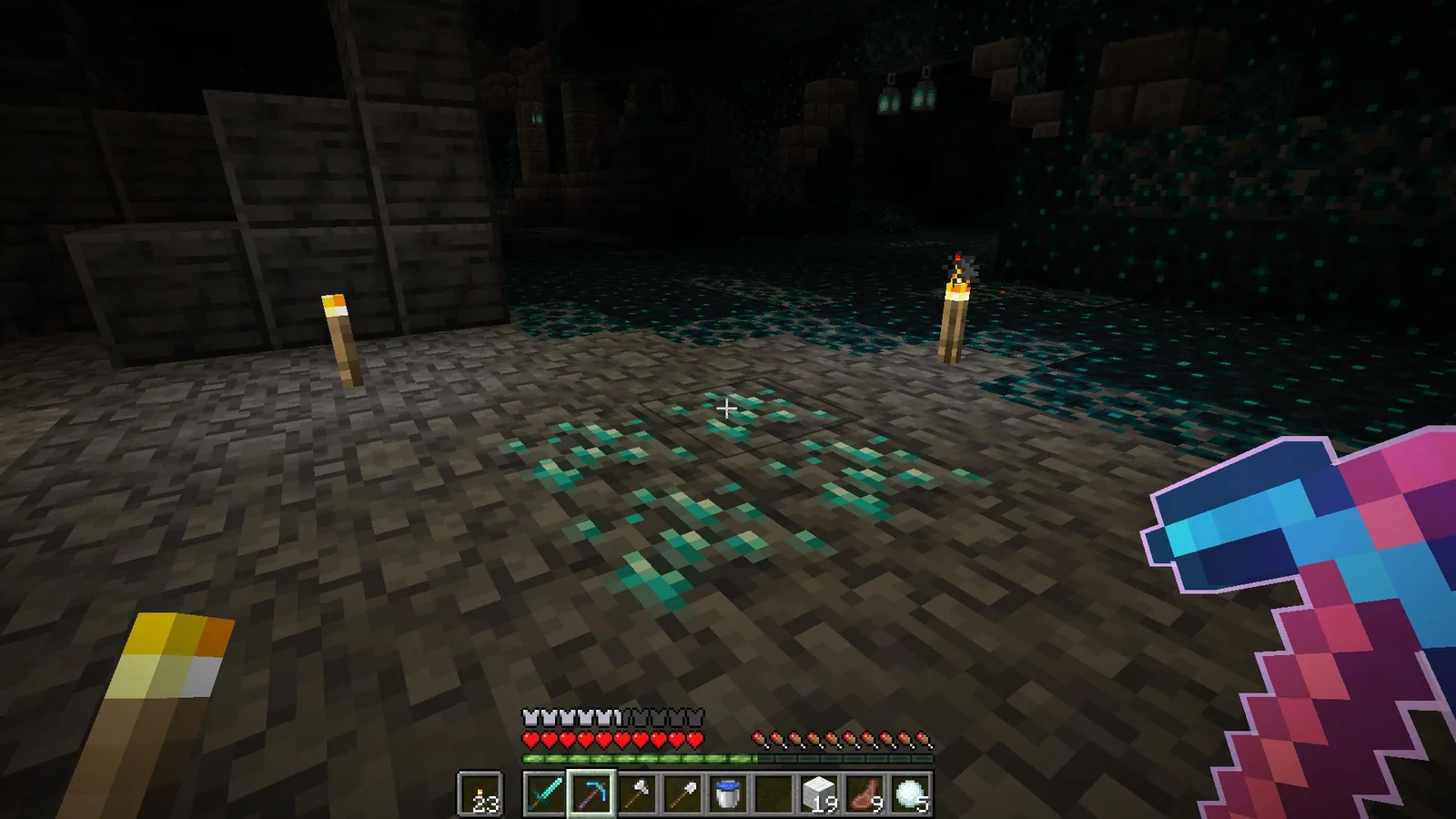
- Far easier to read in dark caves, in combat and on compressed video
- Includes 3D bow and mace models; works with most shader packs and has configurable colours
The vanilla enchantment glint is a purple sheen that animates across an item’s surface. It has been there since enchanting was added, and it has always had the same problem: it is a moving texture on top of another texture, so in any situation where you are not looking directly at a still item, it is hard to read.
Enchantment Outlines takes the opposite approach. Instead of overlaying the item, it outlines it. The item texture stays completely visible, and the enchantment status is communicated by a clean coloured border around the silhouette. It sounds like a cosmetic preference. In practice it is a readability fix.
Why the outline works better
Three situations make the case on their own.
In a cave
Low light flattens everything, and the vanilla glint is a low-contrast effect that low light kills first. An outline survives, because it is a hard edge rather than a subtle sheen. You can tell at a glance whether the pickaxe on your hotbar is the enchanted one.
In combat
Swinging a weapon means the item is in motion and partially off-screen. The vanilla glint animates independently of the swing, which produces visual noise exactly when you need clarity. An outline moves with the item and stays legible.
On video
This is the one that drove the pack’s popularity. Video compression destroys fine moving detail first, and the vanilla glint is fine moving detail. On a stream or a recorded clip, enchanted and unenchanted gear look identical. An outline compresses cleanly and stays visible at any bitrate.
What else is in the pack
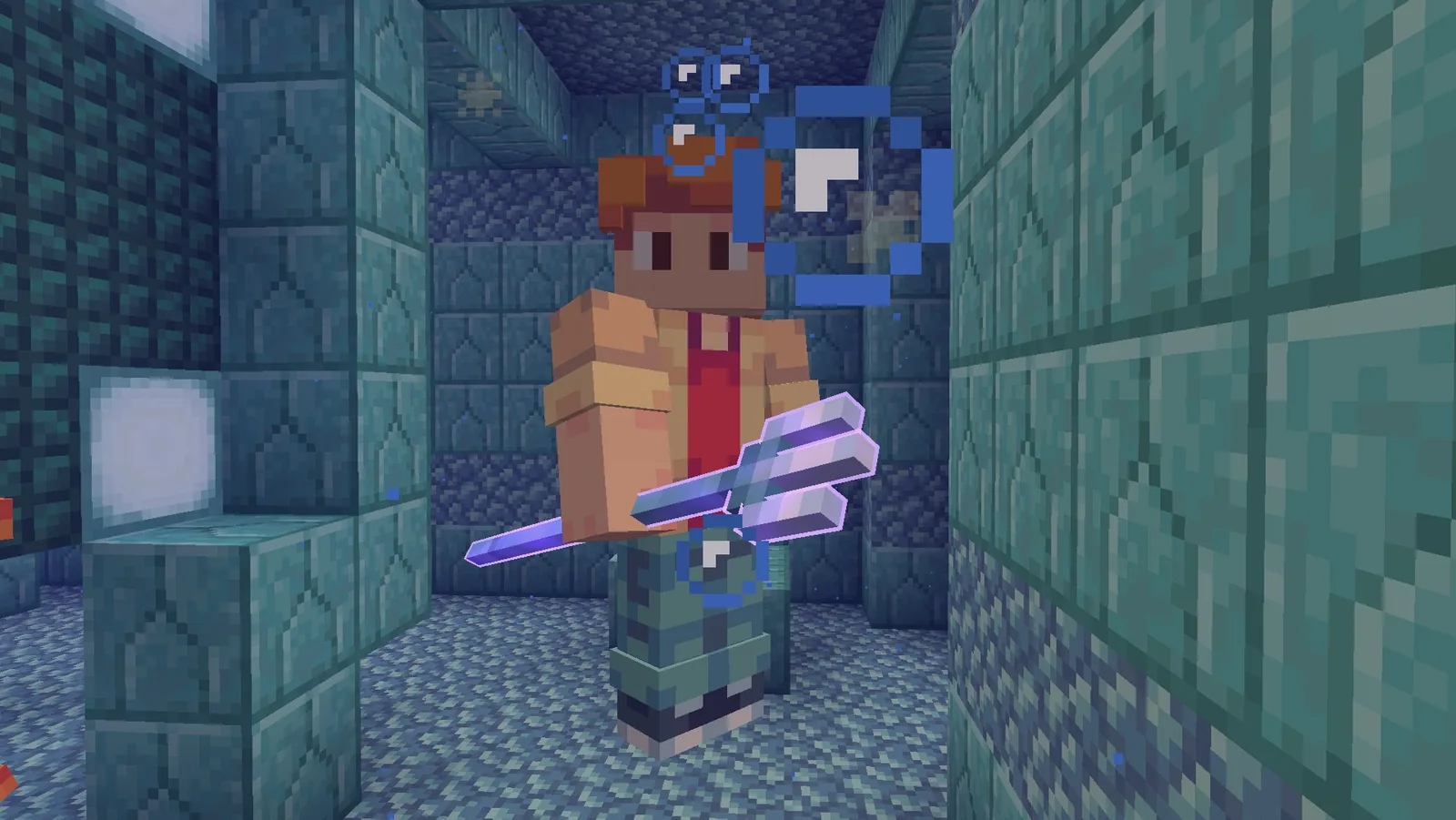
- 3D models for bows and maces, which read better in hand than the flat sprites
- Configurable options through a settings-capable resource pack system, rather than separate download variants
- Alternative colour options if the default does not suit your interface
- Compatibility with most shader packs, which is not a given for glint replacements
The shader compatibility is worth calling out. Enchantment glints are drawn with a special render pass, and replacement packs frequently break when a shader pack rewrites that pass. This one has been built with that in mind, which is why it survives on setups where similar packs fail.
The accessibility argument
The pack lists accessibility as a design goal, and that framing is correct. The vanilla glint relies on a subtle animated colour shift, which is one of the least reliable ways to communicate state – it fails on low-contrast displays, it fails at small sizes, and it is hard to read for anyone with reduced colour discrimination.
An outline is a shape cue rather than a colour cue, and shape survives conditions that colour does not. This is a good general principle for Minecraft interface packs, and it is a big part of why this one has held its audience while flashier glint replacements have come and gone.
One more detail that gets overlooked: because the outline traces the item silhouette, it also makes the 3D bow and mace models easier to read in third person and on the ground as dropped items. Enchanted loot on a mob-farm floor is visible from much further away, which is a small quality-of-life gain you notice within a session or two.
Where it is less useful
Two honest caveats. First, if you play in a heavily decorated base with a lot of item frames, every enchanted item on display now has a hard border, and some people find that busier than the vanilla sheen. Second, the outline does not convey enchantment strength or type – neither does vanilla, but the extra visual prominence can make you expect it to.
There is also the usual resource pack ordering rule: keep this above any larger pack that also touches item rendering, or the bigger pack will win.
Installing it
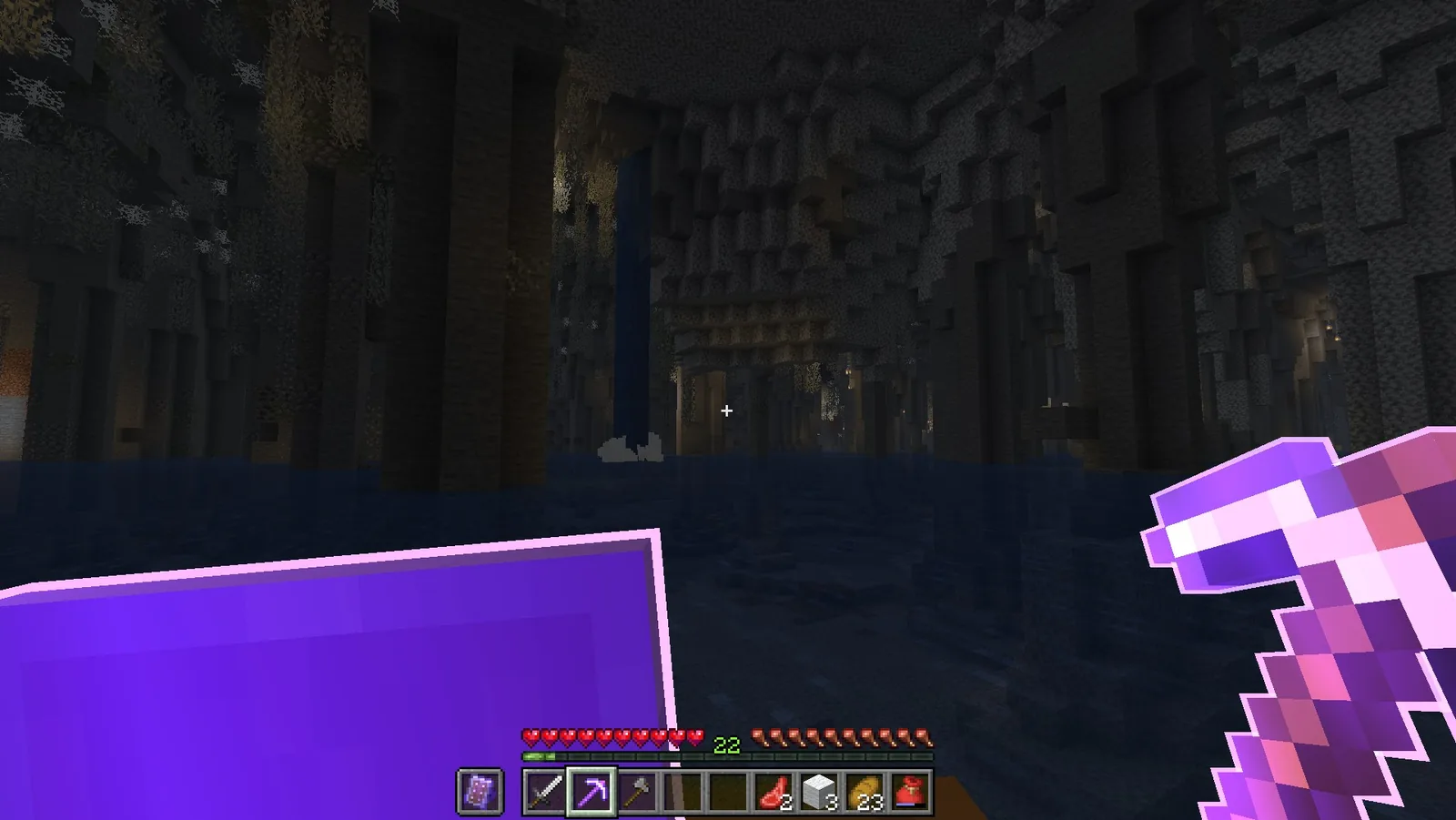
Standard resource pack installation – download the file, drop it into the resourcepacks folder, activate it in Options. No mod is required, though the configurable colour options work best with a pack-options mod installed. It is tagged from 1.19.3 forward, so very old clients and legacy worlds pinned below that are not covered at all.
It sits well alongside other small packs; we run it in the same stack as Bare Bones, where the flat textures make the outlines even clearer than they are on vanilla art.
Verdict
This is the rare resource pack that makes the game easier to play rather than just nicer to look at. If you record, stream, or spend a lot of time in dark places with a hotbar full of similar tools, install it. If you are attached to the vanilla shimmer, you will not be converted – but try it in a cave before deciding.
Source
Images and pack details from the Enchantment Outlines page on Modrinth.