Key takeaways
- Replaces the flat sun and moon sprites with 3D cubic models, including all eight moon phases
- Tagged for 141 Minecraft versions, from Alpha 1.2.2 to the current release
- Works alongside most shader packs and several space mods; no mods required on its own
Minecraft’s sun and moon are flat squares pasted onto the skybox, and they have been since the beginning. It is one of the last places in the game where the world is obviously a texture rather than an object, and once you notice it you cannot stop noticing it. Cubic Sun and Moon exists to fix exactly that, and nothing else.
Small, single-purpose packs are underrated. They stack with anything, they never fight your other packs for the same textures, and they are trivially easy to remove if you change your mind. This one is about as small as a pack gets, and it is one of the few visual changes that affects every single day-night cycle you play.
What it does
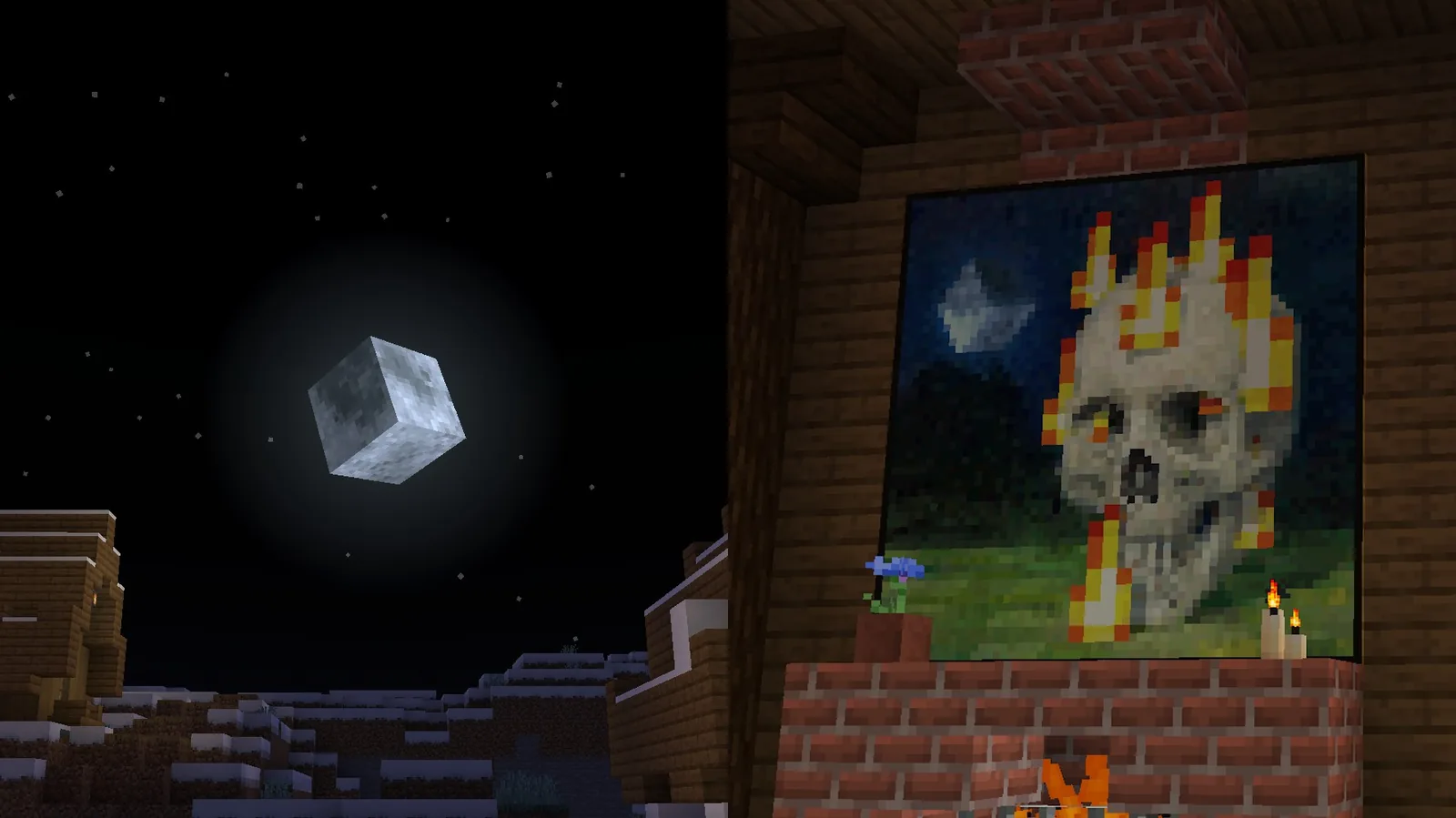
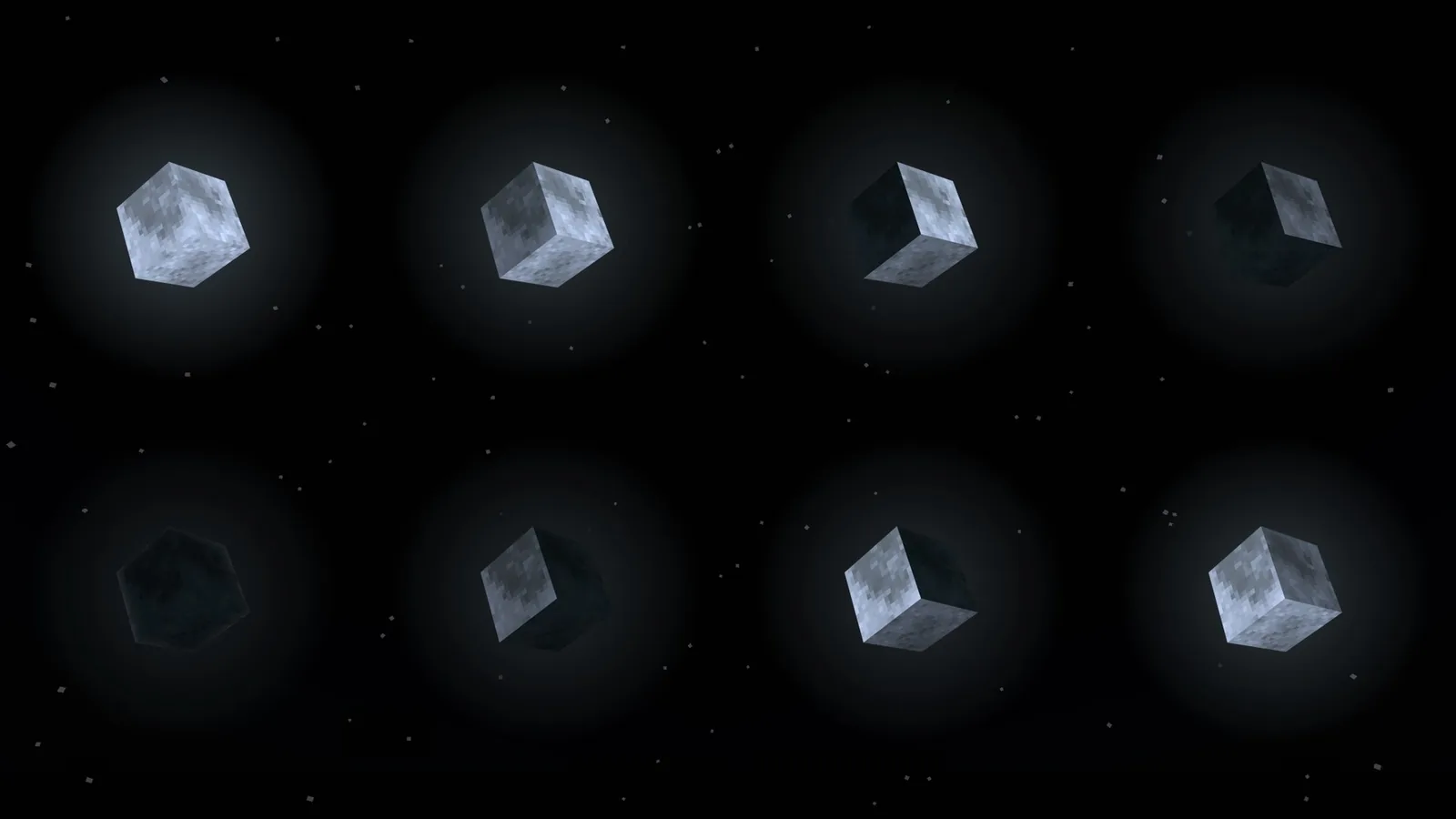
The sun becomes an actual cube, lit and shaded rather than flat. The moon becomes a cube too, with a detailed surface and all eight phases modelled properly rather than drawn as a strip of sprites. There is also one retextured painting thrown in, which is a strange bonus but a harmless one.
The effect is most obvious at sunrise and sunset, when the sun sits low and you can see it as a three-dimensional object against the horizon gradient. At midday it is barely noticeable. At night the moon carries the change, and the phase detail is genuinely nicer than vanilla’s.
The version support is the unusual part
This pack is tagged for 141 Minecraft versions, starting at Alpha 1.2.2. That is not a typo and it is not padding – the author has built versions for the whole history of the game, including the April Fools releases.
For most people that is trivia. For anyone who runs old clients, it is the reason this pack exists in their list. If you keep a 2011 world alive, or you play on a nostalgia server pinned to an ancient version, almost no modern resource pack will load for you. This one will.
Shader and mod compatibility
The rule is simple: if your shader pack does not replace the sun and moon textures itself, Cubic Sun and Moon works. BSL and Complementary both leave them alone and are explicitly confirmed. Packs that draw their own celestial bodies will override it, and some offer a setting to switch back to the resource pack’s version.
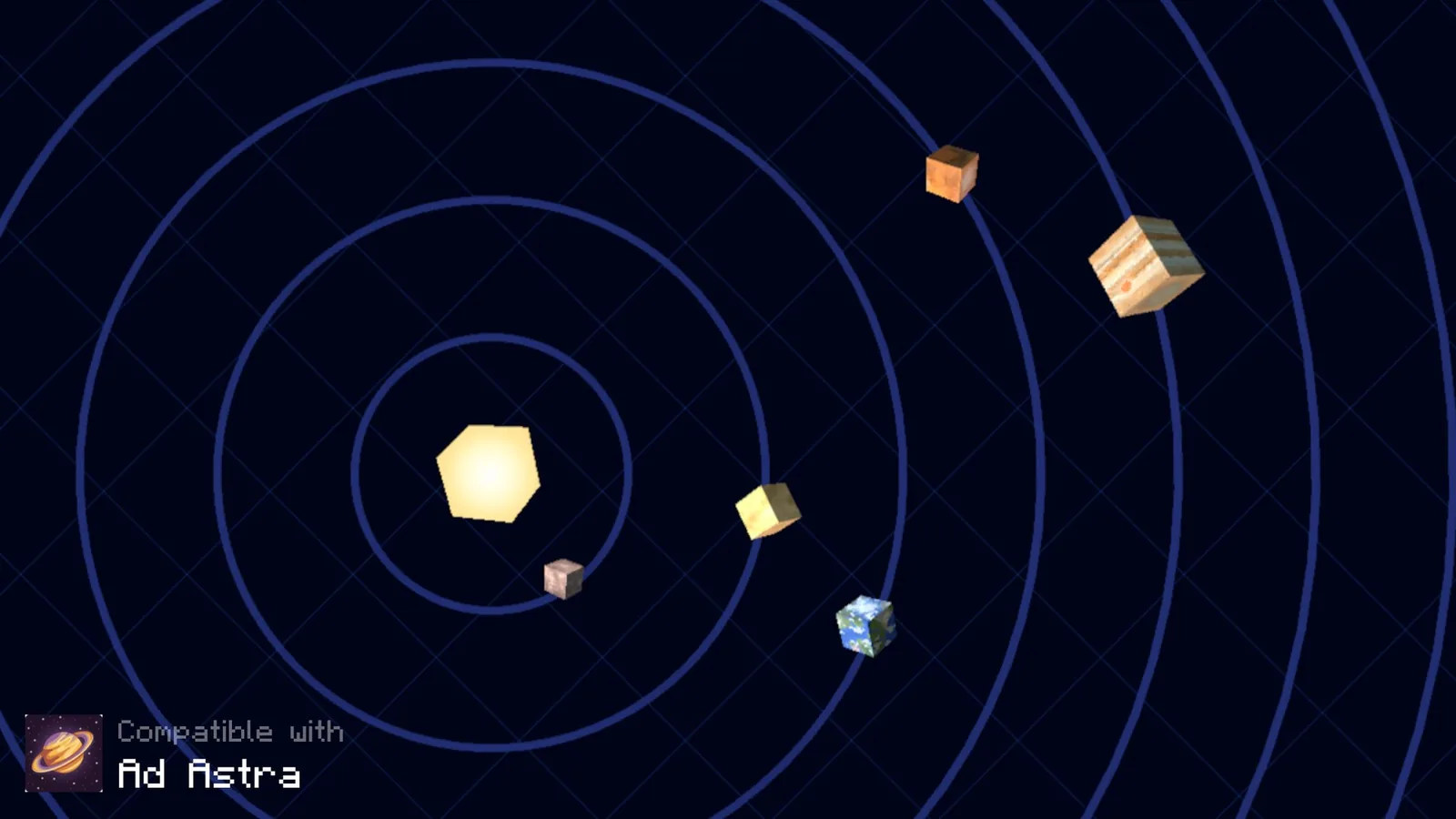
On the mod side it supports several sky and space mods, including Ad Astra, Astrocraft, Galacticraft and Stellar View. If you play a modpack with a rewritten sky, check whether that mod is on the list before assuming the pack will show up.
If you are choosing a shader to pair it with, our shader pack roundup for Iris notes which packs take over the sky and which leave it to your resource pack.
Installing it
- Java: download the current file, open Options then Resource Packs, choose Open Pack Folder, and drop the zip in
- If Minecraft flags it as incompatible, activate it anyway – the pack is tagged for your version even when the format number disagrees
- Bedrock: the pack is distributed as an importable file that opens straight into the game
- Load it above larger packs in the list so its sky textures are not overwritten
That last point is the one people get wrong. Resource pack order matters, and a bigger pack sitting above this one will replace the sun and moon with its own. Keep the small, specific packs at the top of the stack.
One practical note for multiplayer: resource packs are client-side, so nobody else on your server needs to install anything and nothing about the world changes. The moon looks different to you and identical to everyone else, which makes small packs like this completely safe to run on any server, including ones with strict anti-cheat rules.
Is a pack this small worth installing?
This is the real question, and the answer is yes, for a reason that is not obvious. Minecraft’s day-night cycle is twenty minutes long, which means you see the sun or the moon more often than you see almost any other single object in the game. A change that small, repeated that often, has more effect on how the game feels than a pack that retextures fifty blocks you rarely look at.
It also demonstrates something worth applying more broadly: a stack of three or four tiny single-purpose packs usually looks better than one large pack, because you keep the parts you want and none of the parts you do not. Cubic Sun and Moon is a good first entry in that stack.
Verdict
There is no downside here. No performance cost, no compatibility risk beyond shader overrides, no version you cannot run it on. If the flat sun has ever bothered you, this is a two-minute fix that will keep working for as long as you play.
Source
Images and pack details from the Cubic Sun and Moon page on Modrinth.