Key takeaways
- Bare Bones removes texture noise and keeps flat, saturated colour – the look Mojang uses in its own trailers
- 16x, no mods required, and tagged for versions from 1.6.1 all the way to the current releases
- Best for building and screenshots; worst for anyone who reads ore and block types by texture detail
Most resource packs add detail. Bare Bones takes it away, and that turns out to be the more interesting idea. The pack flattens Minecraft’s textures down to solid colour and simple shape, removing the speckle and grain that the default pack uses to suggest material. What you are left with looks less like a survival game and more like the promotional art Mojang publishes alongside every update.
That comparison is not accidental. Mojang’s trailers and key art have used a simplified, high-saturation version of Minecraft for years, and Bare Bones is the most successful community attempt to make that style playable. With over seven million downloads it is also one of the most-installed packs on Modrinth, so it is worth knowing what it actually changes before you decide whether you want it.
What Bare Bones actually changes
The pack is 16x, the same resolution as vanilla, so nothing here is about detail. What changes is how each texture uses its sixteen pixels. Vanilla stone is a field of grey noise; Bare Bones stone is a near-flat grey with a few outlines. Vanilla oak planks carry wood grain across every plank; Bare Bones keeps the plank seams and drops the grain.
The effect compounds across a build. Once every block is flat, shape becomes the only thing your eye has to work with, so silhouettes, depth changes and colour blocking read much more strongly than they do in vanilla. Builders notice this immediately – a wall that looked busy in default textures suddenly shows its actual form.
Where it looks best
Biomes with strong colour
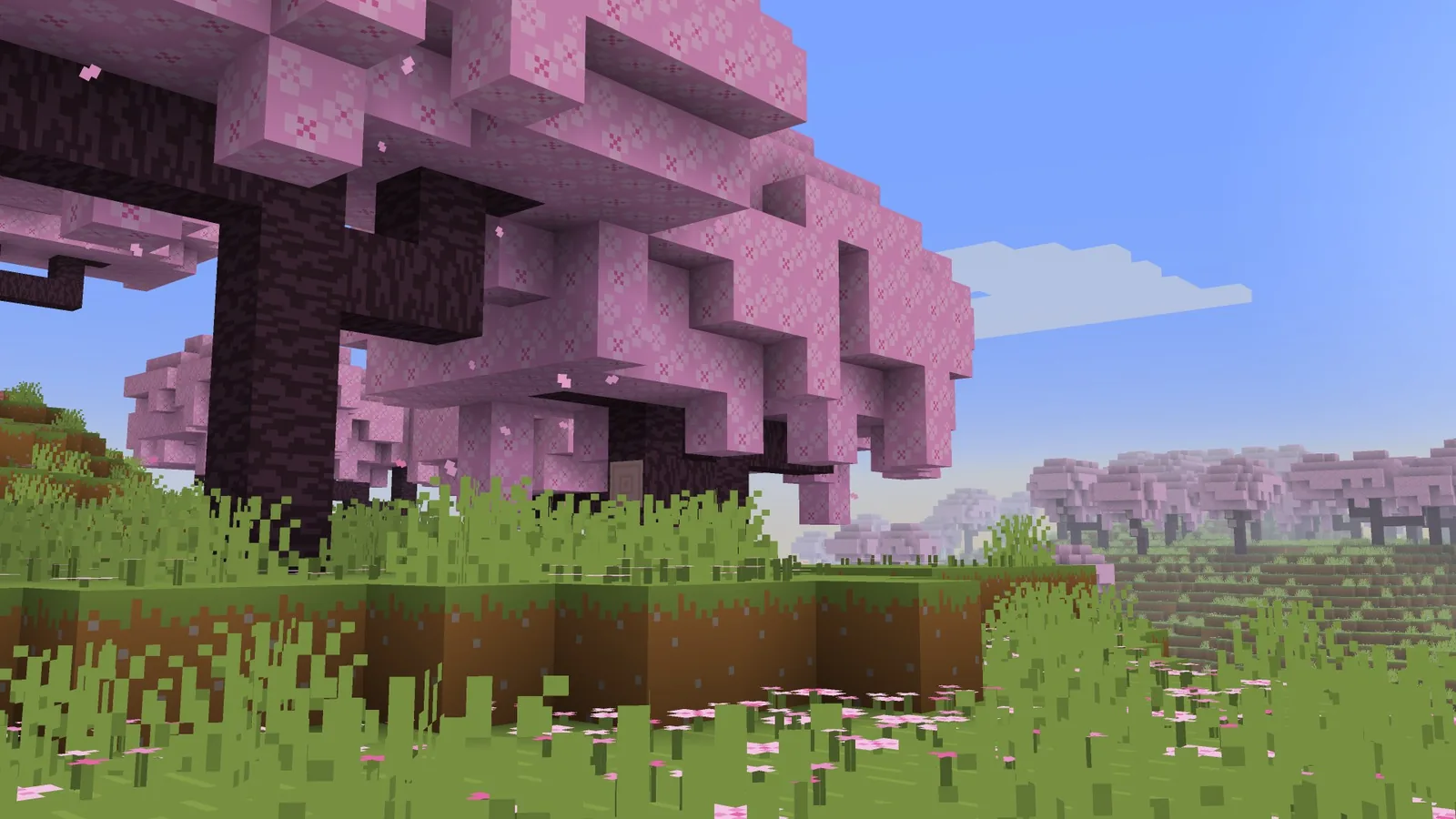
Cherry groves, badlands, lush caves and coral reefs are where the pack earns its reputation. Those biomes already lean on saturated colour, and removing the texture noise lets the colour dominate. A cherry grove in Bare Bones is close to flat pink and green, and it is genuinely striking.
Large builds seen from distance
At render distance, vanilla textures blur into an average grey-green. Flat textures do not blur, so a big build stays legible from much further away. If you build megaprojects and want them to photograph well, this is the single cheapest improvement you can make.
The Nether and underwater
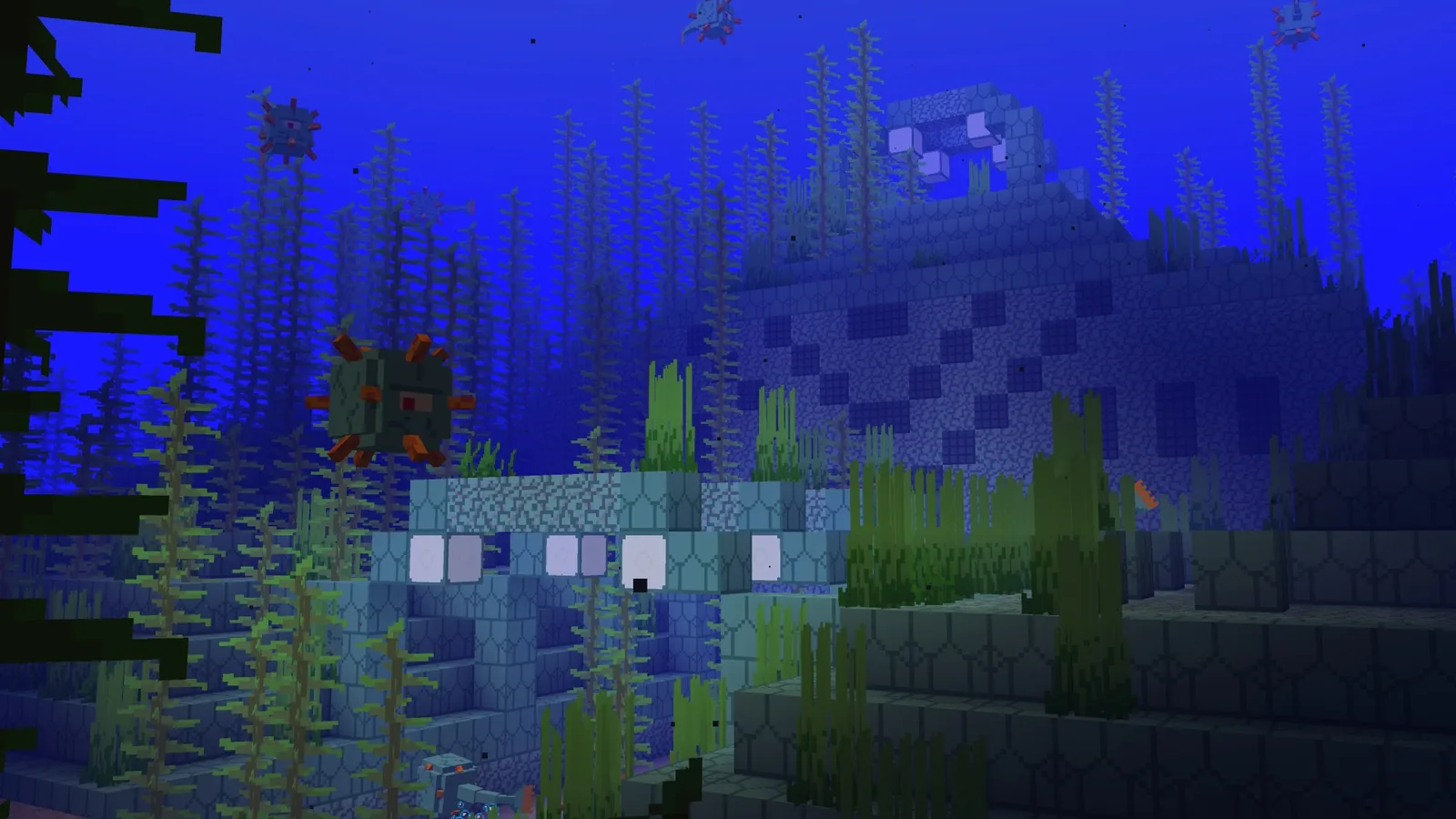
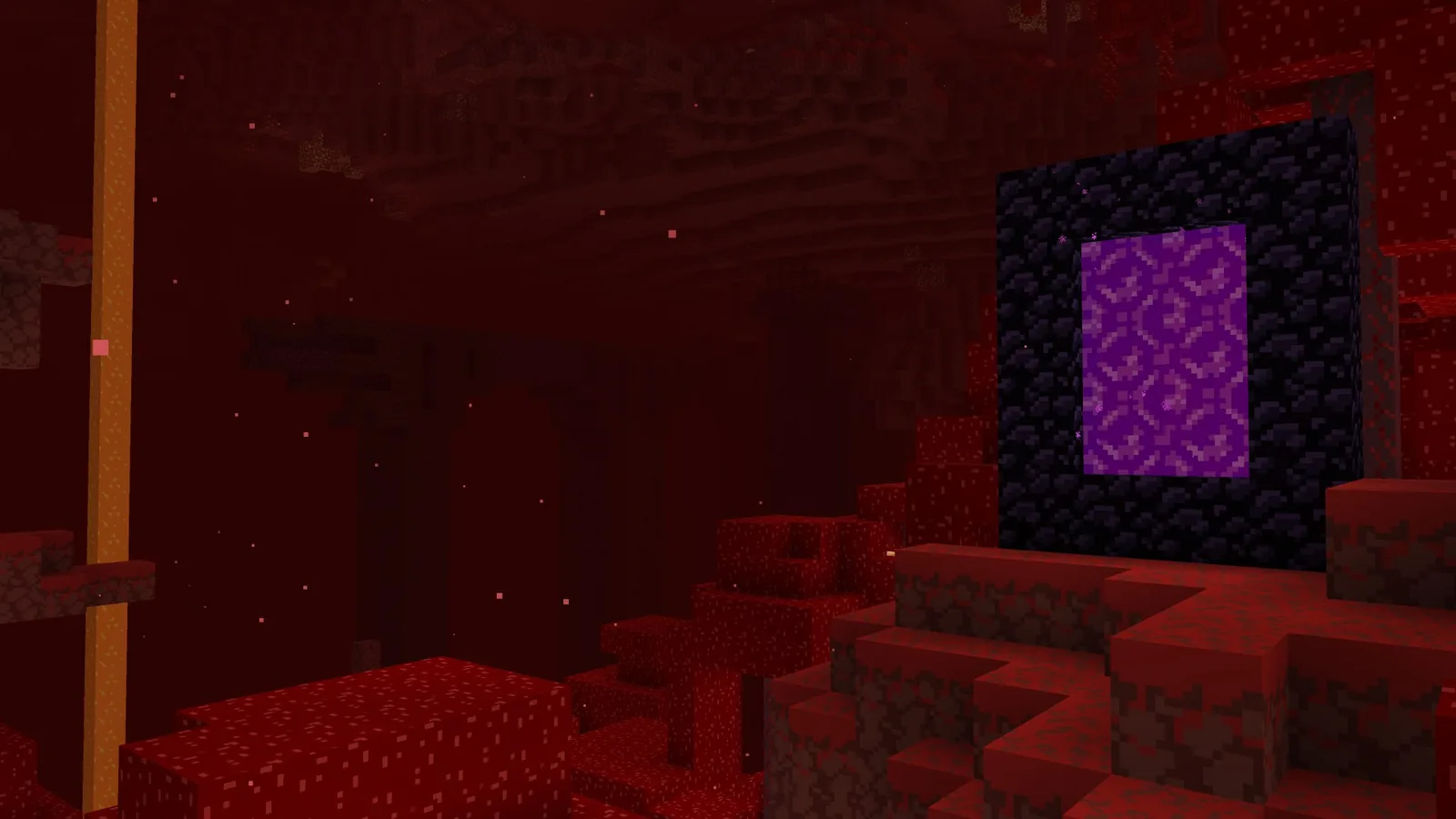
Both places are visually noisy in vanilla – the Nether because everything is red and textured, underwater because of the blue filter over detailed blocks. Flattening the textures fixes both. Ocean monuments in particular become readable structures rather than blue shapes.
What you lose
This is the honest part, and it is why Bare Bones is not for everyone. Vanilla’s texture noise carries information. Deepslate versus stone, andesite versus diorite versus granite, the difference between a spawner and a normal cage – all of that is communicated through fine detail that this pack removes. In a cave at low light, several block types converge on similar flat greys.
Ore textures are the specific case worth flagging. Bare Bones keeps ore markings clear enough that you will not miss a diamond, but the subtler distinctions get harder. If you play a lot of caving and you navigate by block type, expect an adjustment period. Our breakdown of ore distribution by Y level matters more, not less, when you are relying on depth rather than visual scanning.
There is also a compatibility footnote: Bare Bones covers vanilla blocks thoroughly, but any modded block it does not have a texture for falls back to default. In a heavily modded pack the mix of flat and detailed textures looks worse than either style alone.
Performance and versions
There is no meaningful performance cost. At 16x the pack uses the same texture budget as vanilla, so frame rate and memory are unchanged. That is the advantage of a stylistic pack over a high-resolution one – you can run it on any machine that runs the base game.
Version support is unusually broad. The pack is tagged for releases going back to 1.6.1 and forward through the current versions, which means an old world on an old client is still covered. If you are running shaders alongside it, Bare Bones works fine; flat textures actually respond well to directional lighting, and the combination with Vibrant Visuals on Bedrock or an Iris shader pack on Java is one of the better-looking setups available.

How it compares to the obvious alternatives
Against Faithful, the two packs are opposites. Faithful keeps every vanilla texture and raises the resolution, so it is for people who like the default look and want more of it. Bare Bones keeps the resolution and throws out the look. If you want the middle ground, our roundup of 16x resource packs covers packs that adjust vanilla rather than replace its style.
Against a full stylised pack like Patrix or a PBR set, Bare Bones is far lighter and far more consistent. High-resolution packs tend to look excellent on the blocks the author cared about and mediocre on the rest; a flat pack has no such failure mode, because there is nothing to get wrong.
Installation
- Download the pack from its Modrinth page
- Open Minecraft, go to Options then Resource Packs, and choose Open Pack Folder
- Drop the .zip into that folder without unzipping it
- Return to the game and move Bare Bones to the active side of the resource pack list
- If it shows as incompatible on an older version, it will usually still load correctly
Verdict
Bare Bones is the right pack if you build, screenshot or stream, and the wrong pack if your play is mostly caving and technical survival. It is free, it costs no performance, and it takes thirty seconds to turn off if you dislike it – which is the strongest argument for simply trying it.
One note from using it for a while: the pack changes how you build, not just how the game looks. Detail-heavy block palettes stop being worth the effort, and large blocks of single colour start working. That is a real design shift, and it is more interesting than the screenshots suggest.
Source
Images and pack details from the Bare Bones page on Modrinth.