Key takeaways
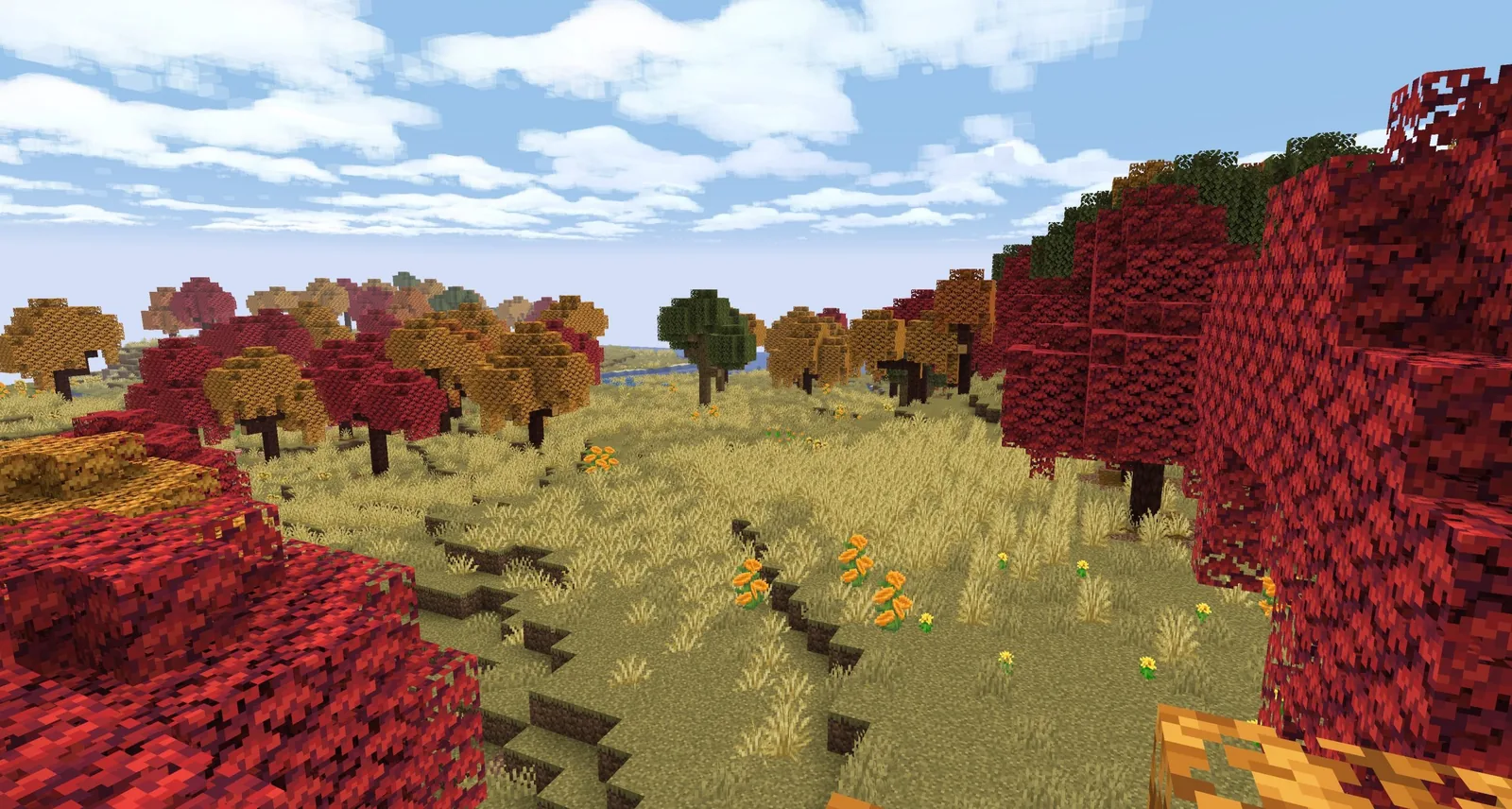
- 26.3 Snapshot 10, on 25 August 2026, put the dappled forest panorama on the main menu.
- A new menu panorama is Mojang’s traditional signal that a drop is close to done.
- The rest of the snapshot was technical changes and improvements.
The rotating background behind the Minecraft title screen is the last thing a drop changes and the first thing every player sees. When it changes, the drop is nearly finished.
Why the panorama is a signal
It is made from the finished version of the new content, in a world built for the purpose, and it has to look right from every angle as the camera rotates. You cannot make one from features that are still moving.
Snapshot 10 landed three weeks before release. Pre-Release 1 followed on 1 September, and the drop shipped on the 15th.
What it shows
The dappled forest in its autumn colours – red, orange and yellow poplar leaves, which is the drop’s visual signature. Mojang’s own description was “cozy fall vibes every time you launch the game”, which is unusually direct about what the choice is for.
The panorama is also the clearest statement of what the team thinks this drop is about. Not the camps, not the maps, not the concrete stairs – the trees.
The unglamorous half of the snapshot
The rest of Snapshot 10 was technical changes and improvements, with no new features. That is what the last content-adjacent snapshot of a cycle looks like: the visible change is a background image, and the actual work is in the changelog nobody reads.
A note on how these are made
Panoramas are six-sided captures from a fixed point in a purpose-built world. Anyone can make one – resource packs replace the menu background regularly, and it is one of the easiest pack modifications to attempt if you want to learn the format.
Panoramas are a statement of intent
The main menu panorama changes once per drop, and Mojang picks it to say what the drop is about. Reading it as marketing is fair; reading it as nothing is a mistake.
A forest panorama for a drop themed on camping and being away from base is about as direct as that signal gets.
What the composition is doing
Panoramas are built, not found. Somebody chose the light, the elevation and the framing, and the choices are the same ones that make a screenshot of your own build work or fail.
Generated structures are the best free lesson in this, because the game’s own designers made those composition decisions and you can walk around inside the result. What village and outpost designs teach builders takes them apart.
The palette question
A new biome is a new palette whether or not it adds blocks, because it changes which existing blocks appear together and under what light. That is usually what makes a biome feel new.
If you want to borrow from it, the ratio matters more than the block list – the palette guide covers why copying a biome’s colours directly usually looks worse than the biome does.
Dates
- Panorama shown 25 August 2026.
- Pre-Release 1 followed on 1 September.
- Wilderness Bound released 15 September 2026 as Java 26.3.
Three weeks from panorama to release is the usual gap.
Taking a better screenshot of your own build
- Shoot at dawn or dusk. Midday light is flat and flattens everything with it.
- Get lower than you think – eye level reads as a place, elevated reads as a map.
- Put something in the foreground. Depth is what makes a panorama feel like somewhere.
- Hide the HUD with F1.
Those four things account for most of the distance between a screenshot that works and one that does not, and none of them require a shader pack.
Panoramas as a version marker
Because it changes once per drop, the menu panorama is an instant version check. Anyone who has played through a few cycles can name the version from the menu alone, which is a small thing Mojang has been consistent about for years.
Dates
Shown 25 August 2026, three weeks before Wilderness Bound released as Java 26.3 and Bedrock 26.50 on 15 September 2026.
It is a small tradition and an effective one. A new panorama is the first thing every returning player sees, before a changelog, before a single block. For a game that ships three or four times a year to an audience that dips in and out, that half-second on the menu screen does more communication work than most of the marketing around it. This year’s is a forest at golden hour, and it tells you what the drop is about before you press a button.
Images: Nature’s Spirit project gallery on Modrinth.